In short
Proprietary A (PGN 0xEF00) is sent to one destination and Proprietary B (0xFF00 to 0xFFFF) is broadcast. Their content belongs to the manufacturer, so analyse each PGN per source address. Standard PGNs on the same bus, such as EEC1 engine speed, make excellent reference signals.
Best for: Engineers decoding data from engines, hydraulics, implements and other J1939 ECUs that is not in the J1939 standard
J1939 has a large standard catalogue of PGNs and SPNs, and a J1939 DBC decodes them on any compliant machine. But the data that makes a machine special, hydraulic pressures, implement positions, the state of a pump controller, often travels in proprietary PGNs whose layout only the manufacturer knows. A standard DBC shows them as undecoded frames. This guide shows how to find them and work out their contents.
The two proprietary ranges
| Name | PGN | Hex | Addressing |
|---|---|---|---|
| Proprietary A | 61184 | 0xEF00 | PDU1: sent to one destination address |
| Proprietary B | 65280–65535 | 0xFF00–0xFFFF | PDU2: broadcast, the low byte is a group extension |
In a CAN ID, Proprietary A shows up as xxEFddss (destination dd, source ss), and Proprietary B as xxFFggss. The same PGN can mean completely different things on two machines, or from two ECUs on the same machine. So the unit of analysis is not the PGN alone but the PGN plus source address.
Source addresses can change if an ECU loses an address claim. If the addresses on your machine move, identify the ECU by its NAME from the address claim message (PGN 60928) instead; the address claiming guide shows how.
Step 1: find the proprietary traffic
Decode every 29-bit ID into PGN, source and destination, keep the proprietary ones, and measure how often each byte changes: Run it on your own candump -l log, or on the 60-second test log used here.
from collections import defaultdict


def decode_id(can_id):
    """Priority, PGN, source address and destination (None for broadcast PDU2) of a 29-bit J1939 ID."""
    priority = (can_id >> 26) & 0x7
    pdu_format = (can_id >> 16) & 0xFF
    pdu_specific = (can_id >> 8) & 0xFF
    data_page = (can_id >> 24) & 0x3
    if pdu_format < 240:  # PDU1: PDU specific is a destination address
        return priority, data_page << 16 | pdu_format << 8, can_id & 0xFF, pdu_specific
    return priority, data_page << 16 | pdu_format << 8 | pdu_specific, can_id & 0xFF, None


def is_proprietary(pgn):
    return pgn == 0xEF00 or 0xFF00 <= pgn <= 0xFFFF  # Proprietary A, Proprietary B


def load(path):
    """{(pgn, source): [(time, data, destination)]} from a candump -l log."""
    messages = defaultdict(list)
    for line in open(path):
        stamp, _, frame = line.split()
        can_id, data = frame.split("#")
        _, pgn, source, destination = decode_id(int(can_id, 16))
        messages[(pgn, source)].append((float(stamp.strip("()")), bytes.fromhex(data), destination))
    return messages


messages = load("j1939.log")
for (pgn, source), items in sorted(messages.items()):
    if not is_proprietary(pgn):
        continue
    datas = [d for _, d, _ in items]
    rates = [sum(a[i] != b[i] for a, b in zip(datas, datas[1:])) / max(1, len(datas) - 1) for i in range(8)]
    kind = "Prop A" if pgn == 0xEF00 else "Prop B"
    to = f" to 0x{items[0][2]:02X}" if items[0][2] is not None else ""
    print(f"PGN 0x{pgn:04X} ({kind}) from 0x{source:02X}{to}: {len(items)} msgs, change rate "
          + " ".join(f"{r:.2f}" for r in rates))
Output for a 60-second test log with an engine, a hydraulic controller at 0x27 and a display at 0x28:
PGN 0xEF00 (Prop A) from 0x27 to 0x00: 2 msgs, change rate 1.00 0.00 0.00 0.00 0.00 0.00 0.00 0.00
PGN 0xFF10 (Prop B) from 0x27: 600 msgs, change rate 0.95 0.02 0.00 0.97 0.03 0.00 0.00 1.00
PGN 0xFF21 (Prop B) from 0x28: 600 msgs, change rate 0.00 0.00 0.00 0.00 0.00 0.00 0.00 0.00
What each line suggests:
0xEF00from0x27to0x00: two messages in a minute, sent to the engine. Rare messages to one ECU, sent when something happens, look like commands; in this test log it is a mode change.0xFF10from0x27: every 100 ms. Bytes 1 and 4 change almost every time, bytes 2 and 5 rarely: two 16-bit values with their low bytes first. Byte 8 changes every time: a counter.0xFF21from0x28: nothing changes. A status or heartbeat; it needs a stimulus to reveal anything.
Bytes that never change and read 0xFF are usually unused. J1939 fills unused bytes with 0xFF.
Step 2: use the standard PGNs as references
On a J1939 bus you do not need an external reference for many values. The standard messages are already there, with known scaling. EEC1 (PGN 61444, 0xF004) carries engine speed, SPN 190, in bytes 4–5 at 0.125 rpm per bit. Any proprietary value that follows engine speed, like a pump speed, can be found by correlating against it:
import bisect
import statistics


def engine_speed(messages):
    """Reference from the standard EEC1 message: SPN 190, bytes 4-5, 0.125 rpm per bit."""
    return [(t, int.from_bytes(d[3:5], "little") * 0.125) for t, d, _ in messages[(0xF004, 0x00)]]


def correlate(items, reference):
    """Rank 8- and 16-bit fields of one proprietary message by Spearman correlation with the reference."""
    ref_times = [t for t, _ in reference]
    ref_at = [reference[max(0, bisect.bisect_right(ref_times, t) - 1)][1] for t, _, _ in items]
    results = []
    for byte in range(8):
        for size, order in ((8, "little"), (16, "little"), (16, "big")):
            if byte + size // 8 > 8:
                continue
            values = [int.from_bytes(d[byte:byte + size // 8], order) for _, d, _ in items]
            if len(set(values)) > 2:
                rho = statistics.correlation(values, ref_at, method="ranked")
                results.append((round(rho, 3), byte + 1, size, order))
    return sorted(results, reverse=True)


reference = engine_speed(messages)
for rho, byte, size, order in correlate(messages[(0xFF10, 0x27)], reference)[:3]:
    where = f"byte {byte}" if size == 8 else f"bytes {byte}-{byte + 1} ({order})"
    print(f"PGN 0xFF10 from 0x27, {where}: rho {rho}")
Output:
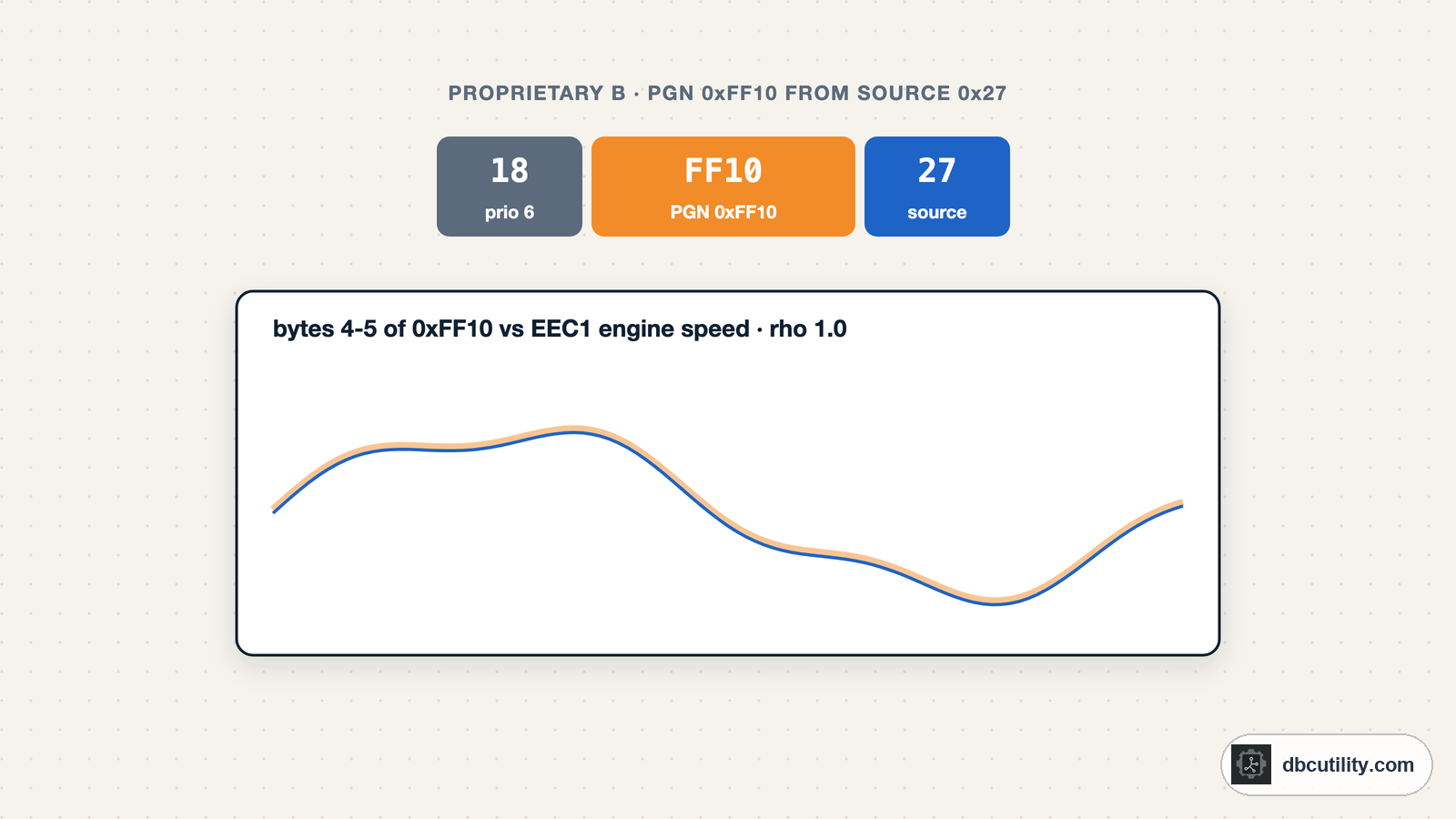
PGN 0xFF10 from 0x27, bytes 4-5 (little): rho 1.0
PGN 0xFF10 from 0x27, bytes 5-6 (little): rho 0.976
PGN 0xFF10 from 0x27, bytes 5-6 (big): rho 0.976
Bytes 4–5 of 0xFF10, read with the low byte first like standard J1939 parameters, rise and fall exactly with engine speed: a pump or fan speed driven by the engine. The other two lines straddle the field's high byte and the next byte, a typical near-miss. Fit the scale against EEC1 and you have the signal; the AI pipeline guide automates the bit search and scaling.
Other useful references from the standard set: wheel-based vehicle speed in CCVS (PGN 65265), coolant temperature in ET1 (PGN 65262) and fuel level in DD (PGN 65276). The common PGNs list gives their positions and scaling.
Step 3: change one thing at a time
Values with no standard counterpart, such as a valve position or an operating mode, need controlled stimulus. Log the bus while you move one control, lever or switch through its range, then compare which bytes changed. The CAN reverse-engineering guide covers the method; on J1939 just keep the analysis per PGN and source.
Long proprietary messages
Proprietary messages longer than 8 bytes travel with the J1939 transport protocol. In the log you see EC and EB frames instead of FFxx: the real PGN is inside the TP.CM frame. Reassemble them first with the code from the J1939 transport protocol guide, then analyse the full payload.
Messages sent only on request
Some proprietary PGNs are only sent when another ECU asks for them with the Request PGN 59904 (0xEA00). If a manufacturer's service tool shows data you never see in a passive log, record what the tool sends: its request frames name the PGNs to ask for.
Writing the result into a DBC
Add each decoded proprietary message to a copy of your J1939 DBC with its full 29-bit ID, including the source address, because the same PGN from another source may mean something else. Keep the scaling style of J1939, little-endian bytes and 0xFF for not available, unless the data shows otherwise.
Frequently asked questions
What is a proprietary PGN in J1939?
A parameter group whose content is defined by the manufacturer rather than by SAE. Proprietary A (PGN 61184, 0xEF00) is addressed to one ECU; Proprietary B (PGNs 65280 to 65535, 0xFF00 to 0xFFFF) is broadcast.
Why does the same proprietary PGN mean different things?
Every manufacturer defines its own content for these PGNs. Two ECUs from different suppliers can use PGN 0xFF10 for unrelated data. Always analyse proprietary messages per PGN and source address.
How do I decode proprietary J1939 messages?
Group frames by PGN and source address, find the bytes that change, and correlate them with standard PGNs on the same bus, such as engine speed in EEC1, or with controlled changes you make on the machine. Then fit scale and offset.
What does 0xFF mean in a J1939 message?
J1939 marks unused bytes and not-available values with all ones: 0xFF for one byte, 0xFFFF for two. Bytes that stay 0xFF in a proprietary message are usually unused.
References
DBC Utility
One desktop app for DBC files and CAN recordings.
One-time $34 · Windows & Linux · Files stay on your computer