Create & edit
DBC editor for CAN messages and signals.
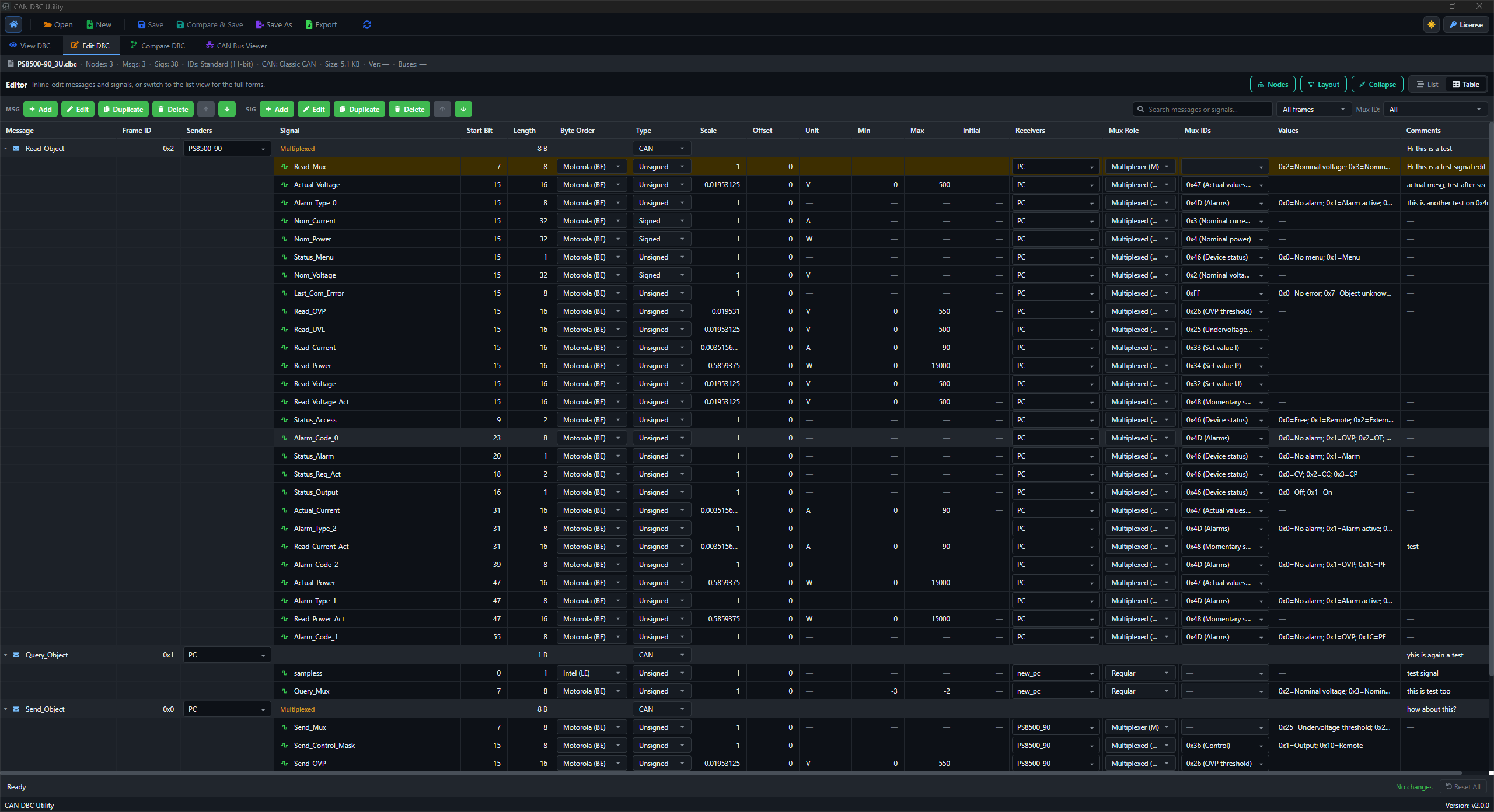
Create and maintain CAN and CAN FD databases in a desktop DBC file editor for Windows and Linux. Update messages, signal definitions, value tables, attributes and multiplexer settings, then review Original against Modified with Compare & Save before saving.
Included in Pro · Windows & Linux · Local processing
Built for the task
Edit definitions with the message in context.
- Update message and signal fields while checking the existing database structure.
- Review receiver, unit, range, scale, offset, and comment details in one desktop workflow.
- Handle mux-related fields with the context needed for safer DBC edits.
Your workflow
How to create or edit a DBC file.
- 01
Create a new database or open the DBC file you want to update.
- 02
Edit the relevant fields and review surrounding signal definitions.
- 03
Check the bit layouts and review your changes with Compare & Save.
Keep going
Helpful next steps.
Before you get started
Questions about the DBC editor.
Create a new database, update an existing one, and review your changes before saving the next revision.
Read the complete guideCan I use DBC Utility as a CAN DBC editor?
Yes. Create or edit CAN and CAN FD database definitions, including messages, signal fields, value tables, attributes and multiplexer settings. Inspect the associated bit layouts while you work.
Can I review my edits before saving?
Yes. Compare & Save shows Original against Modified so you can review the changes before confirming an editor save. You can also open two separate DBC files in Compare and edit either revision.
Is this an online DBC editor?
DBC Utility is a paid desktop app for Windows and Linux. Database viewing, editing and comparison run locally. Licensing, downloads, updates and support require internet access.
Where can I download the DBC editor?
Choose the Windows installer or a Linux DEB or RPM package from the Downloads guide. A Pro license is required to activate the app and includes viewing, editing, comparison, layouts, translation and recorded-log analysis.