In short
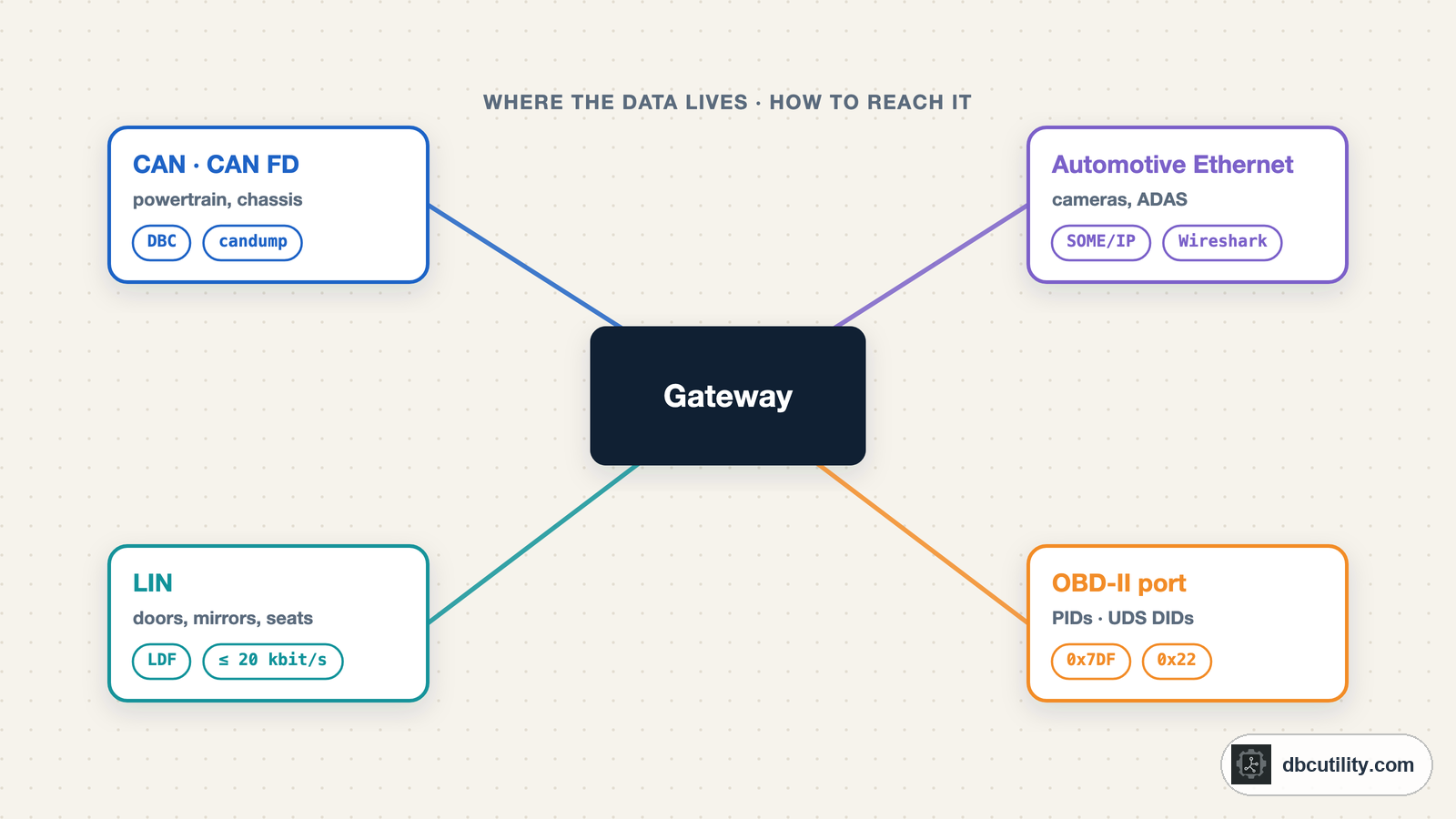
Start from the value you want. Standard emissions data comes from OBD-II PIDs, stored ECU data from UDS DIDs, and live broadcast signals from sniffing CAN, LIN or Ethernet while you change one thing at a time. Every method ends the same way: compare with a reference and check on a new recording.
Best for: Engineers, researchers and makers starting to read data from a vehicle they own or are authorised to work on
"Reverse engineer the car's data" can mean very different jobs. Reading engine speed takes one standard request. Finding which CAN message carries the steering angle takes an afternoon of logging. Reading battery cell voltages from an EV may need a diagnostic scan that runs for an hour. The right method depends on two questions: where does the value live, and who sends it.
Start from the value you want
| You want | Where it usually is | Method | Guide |
|---|---|---|---|
| Speed, rpm, temperatures, emissions data | Engine and transmission ECUs, standard format | Ask with OBD-II service 01 | OBD-II PIDs explained |
| Trouble codes, VIN | Any OBD-II ECU | OBD-II services 03 and 09 | OBD-II PIDs explained |
| Data an ECU stores but does not broadcast: part numbers, cell voltages, odometer | Inside one ECU | Scan UDS data identifiers with service 0x22 | UDS DID scanning |
| The message behind a dashboard value, a switch or a lamp | Broadcast on CAN or CAN FD | Log the bus while you change one thing | Building a DBC from CAN logs |
| Many signals at once, faster | Broadcast on CAN | Automated search against a reference signal | Reverse engineering CAN with AI |
| Why a modified frame is ignored | The same message | Find the counter and CRC | Counters, checksums and CRCs |
| Window, mirror, seat or wiper modules | LIN sub-buses behind a body ECU | Sniff the LIN line and build an LDF | LIN for CAN engineers |
| Cameras, infotainment, ADAS data | Automotive Ethernet | Capture with a media converter or tap, decode SOME/IP | Automotive Ethernet for CAN engineers |
| Truck, bus or machine data | J1939 on CAN | Decode PGNs and SPNs | J1939 PGNs and SPNs |
The first three rows ask an ECU a question. The rest listen to traffic the ECUs send anyway. Asking is faster when a standard exists. Listening is the only way to find data nobody defined for you.
What each bus looks like
| Bus | Speed | Wires | Description file | Capture with |
|---|---|---|---|---|
| CAN | Up to 1 Mbit/s | Twisted pair, CAN_H and CAN_L | DBC, ARXML | Any CAN interface, SocketCAN |
| CAN FD | Up to 1 Mbit/s arbitration, several Mbit/s data | Same as CAN | DBC, ARXML | CAN FD capable interface |
| LIN | Up to 20 kbit/s | Single wire | LDF | LIN interface or transceiver |
| FlexRay | Up to 10 Mbit/s | Twisted pair | FIBEX, ARXML | FlexRay interface |
| 100BASE-T1 | 100 Mbit/s | Single twisted pair | ARXML, FIBEX (for SOME/IP) | Media converter or tap, Wireshark |
| 1000BASE-T1 | 1000 Mbit/s | Single twisted pair | ARXML | Media converter or tap, Wireshark |
| 10BASE-T1S | 10 Mbit/s | Single twisted pair, multidrop | ARXML | 10BASE-T1S interface |
The single-pair Ethernet variants are IEEE 802.3bw (100BASE-T1), 802.3bp (1000BASE-T1) and 802.3cg (10BASE-T1S). None of them plugs into a laptop's RJ45 port; you need a converter for the specific physical layer. CAN FD frames carry up to 64 bytes. LIN is standardised as ISO 17987 and FlexRay as ISO 17458.
Most of the guides linked here start on CAN: the interfaces are inexpensive, the Linux tools are mature, and the same method carries over to the other buses.
The OBD-II port is a start, not the whole bus
The OBD-II connector (SAE J1962) is the easiest access point. The pins that matter for CAN work:
| Pin | Signal |
|---|---|
| 6 | CAN high (ISO 15765-4) |
| 14 | CAN low (ISO 15765-4) |
| 4 | Chassis ground |
| 5 | Signal ground |
| 16 | Battery voltage |
| 7, 15 | K-line and L-line on older, non-CAN protocols |
| 2, 10 | SAE J1850 on older vehicles |
OBD-II has been mandatory for US passenger cars since 1996 and EOBD in the EU for petrol cars since 2001 and diesels since 2004. Since 2008, all cars sold in the US have had to use ISO 15765-4 CAN for OBD-II.
What you see on pins 6 and 14 depends on the vehicle. On some, it is a full powertrain CAN bus with all its broadcast traffic. On many newer vehicles, a gateway sits between the port and the internal buses, and the port only carries diagnostic requests and replies. FCA (now Stellantis) vehicles from 2018, for example, have a security gateway module: tools without authorisation can read codes and live data, but cannot clear codes or run active tests. If the port is quiet until you send a request, connect behind the gateway instead, at an ECU connector or with a contactless CAN reader on the wiring.
One method, every bus
Whichever bus you are on, finding a signal follows the same steps:
- Record a baseline. Log a few minutes with nothing changing, so you know which IDs exist, how often they are sent, and which bytes are counters or checksums. Recording CAN data you can trust covers setup and formats.
- Change one thing. Open one door, press one pedal, turn the wheel slowly. Log again and compare which bytes changed.
- Bound the field. Find where the signal starts and ends, its byte order and whether it is signed.
- Scale it against a reference. Compare with a value you trust, such as OBD-II speed, the dashboard or a GPS, and fit the factor and offset.
- Check on a new recording. A signal that only fits the log you used to find it is not found yet.
- Write it down in the bus's description file: a DBC for CAN, an LDF for LIN. Name only what you have confirmed.
Steps 3 and 4 are where automation helps most. The AI pipeline guide does them in under a second for signals that follow a reference.
Tools by bus
| Bus | Free and open-source options |
|---|---|
| CAN, CAN FD | Linux SocketCAN with can-utils (candump, cansniffer), python-can, cantools, SavvyCAN |
| OBD-II, UDS | python-can with ISO-TP, Linux ISO-TP sockets, udsoncan |
| LIN | The software that comes with your LIN interface; the LIN guide explains LDF files |
| Automotive Ethernet | Wireshark, which includes SOME/IP and DoIP dissectors, plus tcpdump |
Before you start on a common car, check opendbc, comma.ai's open collection of DBC files for many vehicle models. Someone may already have done part of the work, and a published DBC is a good reference for checking your own results.
To open DBC files and recorded ASC or BLF logs side by side, DBC Utility shows the decoded signals, plots them and lists the IDs the DBC does not cover yet.
Stay on the safe side
- Work on a vehicle you own or are authorised to work on.
- Start read-only: listen, and ask with read services such as OBD-II service 01 and UDS 0x22.
- Never transmit on a moving vehicle's bus. Frames you send reach every ECU on that bus.
- Know what clears data: OBD-II service 04 and UDS 0x14 erase trouble codes and freeze frames.
The CAN reverse-engineering guide covers safety and ownership in more detail.
Frequently asked questions
Can I reverse engineer my car's CAN bus?
Technically yes, with a CAN interface on the OBD-II port or behind the gateway. Log the bus while you change one thing at a time, find which bytes follow the change, and scale them against a reference such as OBD-II speed. Check the rules that apply to your vehicle and country before you transmit anything.
Which bus carries the data I want?
Standard engine and emissions data is available through OBD-II. Most other live signals, such as wheel speeds, steering angle, door states and lamp commands, are broadcast on CAN. Simple body modules often sit on LIN, and cameras, infotainment and driver assistance data increasingly use Automotive Ethernet.
Why do I see no CAN traffic on my OBD-II port?
The port may be behind a gateway that only forwards diagnostic messages. Send an OBD-II request such as 01 00 to 0x7DF: if an ECU answers, the bus works and the gateway is filtering. Also check the bitrate, the ignition and the pins.
Is there a DBC file for my car?
Check opendbc first; it covers many popular models. Manufacturers do not usually publish their DBC files, so for other vehicles you build one yourself with the method above.
References
DBC Utility
One desktop app for DBC files and CAN recordings.
One-time $34 · Windows & Linux · Files stay on your computer