DBC compare tool
Compare DBC files and review every change.
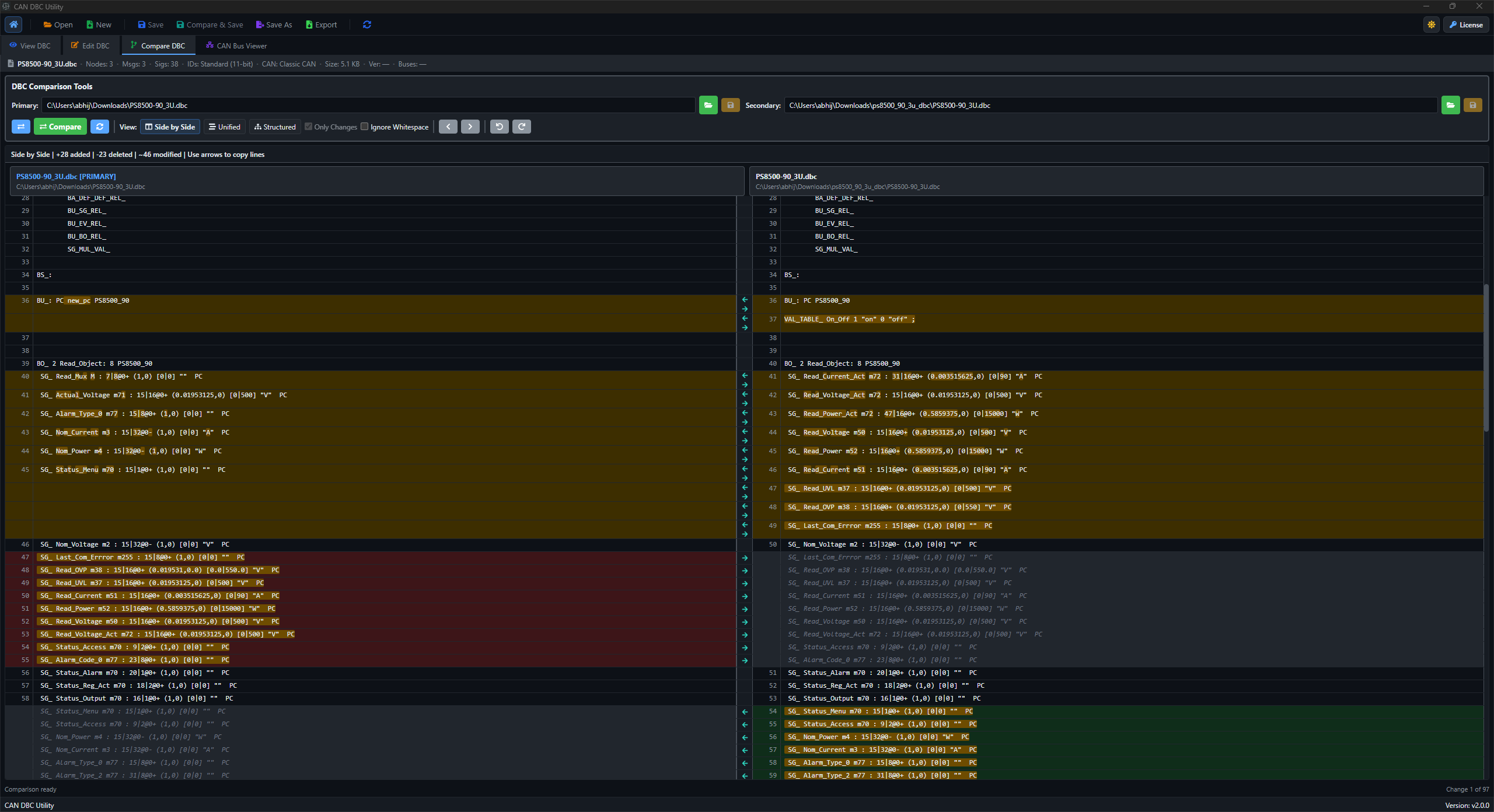
Review two DBC revisions side by side, in a unified diff or as structured changes. Find differences in messages, signals and comments, edit either revision, and copy lines between files before saving. Viewing, editing and Compare & Save are part of the same desktop workspace.
Included in Pro · Windows & Linux · Local processing
Built for the task
Review DBC differences before you save.
- Compare DBC revisions in side-by-side, unified, and structured modes.
- Focus review on changes that affect messages, signals, comments, or mux behavior.
- Keep compare review close to the same viewer and editor used for day-to-day work.
Your workflow
How to compare two DBC files.
- 01
Open the baseline and updated DBC files.
- 02
Review changes in the compare mode that fits the task.
- 03
Edit either revision, review the result, then save the changed file.
Keep going
Helpful next steps.
Before you get started
Questions about DBC comparison.
Review a supplier revision or check your own edits with the comparison view that fits the task.
Read the complete guideWhich DBC comparison views are available?
Use Side by Side, Unified or Structured comparison. Navigate between differences and ignore whitespace when it is not relevant to your review.
Can I edit the files while comparing them?
Yes. Edit either revision, copy lines between Primary and Secondary, then save the changed file with Save or Save As. Review the result before releasing the updated database.
Can I compare editor changes before saving?
Yes. Compare & Save opens Original against Modified for an editor save. Check the differences, confirm the save, and return to the editor.