View & inspect
DBC viewer for CAN and CAN FD files.
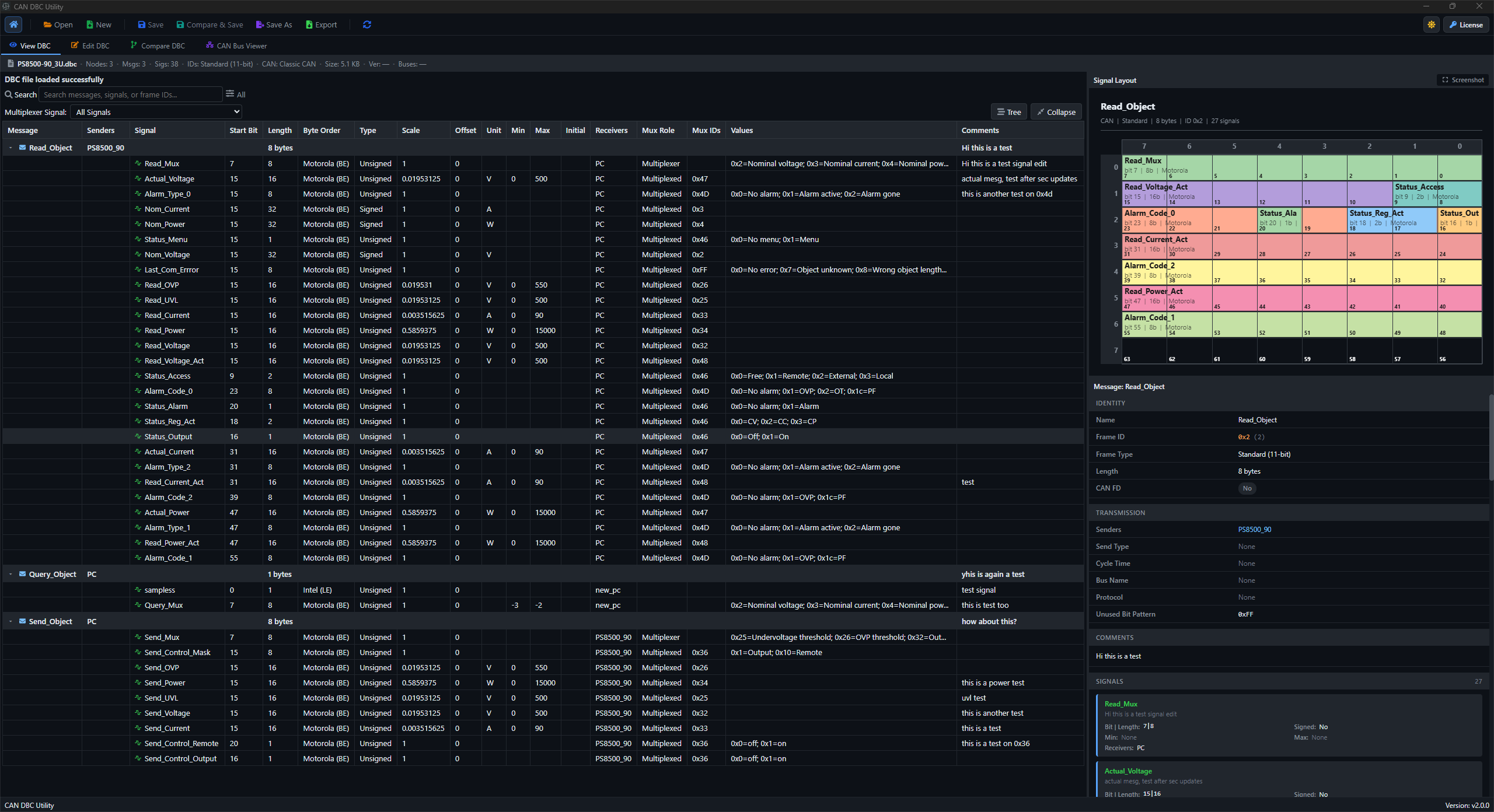
Open your database in a desktop DBC file viewer for Windows and Linux. Browse messages and signal definitions with their bit layouts, comments and attributes in context, then compare revisions or move into editing in the same app.
Included in Pro · Windows & Linux · Local processing
Built for the task
Read messages, signals and bit layouts.
- Review message names, frame IDs, payload length, and sender/receiver context.
- Inspect signal start bits, lengths, byte order, signedness, scaling, units, and comments.
- Use search and recent files when moving between active DBC review tasks.
Your workflow
How to open and read a DBC file.
- 01
Open the DBC file from the desktop app.
- 02
Browse messages and signals in the tree view.
- 03
Check signal details and file metadata before sharing or editing the file.
Keep going
Helpful next steps.
Before you get started
Questions about the DBC viewer.
Understand what you can inspect, which databases are supported, and how the desktop app handles your files.
Read the complete guideCan I use DBC Utility as a DBC reader?
Yes. The viewer works as a DBC file reader: open a database and inspect its messages, signals, comments, attributes and bit layouts. Editing and comparison are available in the same app when you need them.
Does the CAN DBC viewer support CAN FD?
Yes. Inspect CAN and CAN FD message definitions and payload layouts, including signal positions, byte order and multiplexed groups. Correct interpretation depends on the definitions in your database.
Is this an online DBC viewer?
DBC Utility is a paid desktop application for Windows and Linux. Your DBC files are processed locally. Internet access is needed for licensing, downloads, updates and support.