In short
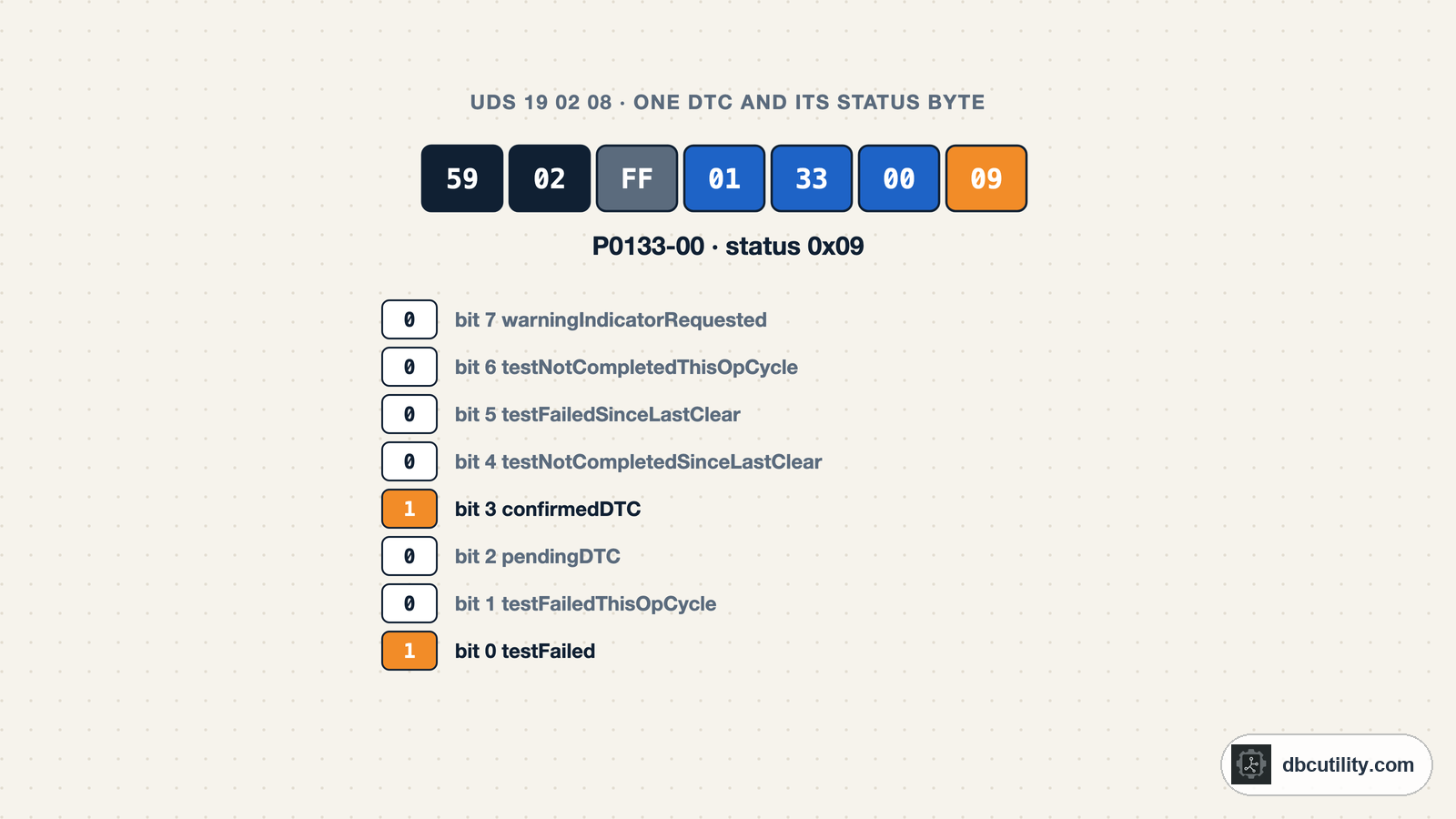
Ask 19 01 for the number of DTCs and 19 02 with a status mask for the list. Each DTC comes back as 3 bytes plus a status byte. Bit 0 says the test is failing now, bit 3 says the fault is confirmed and stored, bit 7 says a warning lamp is requested.
Best for: Engineers reading or testing ECU fault memory over UDS
A scan tool shows "P0133 – confirmed, not active". Behind that line is one UDS response with three bytes for the code and one byte that says what state it is in. That status byte is where most misreadings happen: a DTC can be stored without failing now, failing now without being stored, or cleared but not yet re-tested. This guide shows the requests, the bytes and how to read them. What is UDS covers the protocol basics.
The requests you need
ReadDTCInformation is service 0x19. The byte after it, the report type, says what you want back. The ones you will use most:
| Request | Report type | Answer |
|---|---|---|
19 01 <mask> | reportNumberOfDTCByStatusMask | How many DTCs match the mask |
19 02 <mask> | reportDTCByStatusMask | Every matching DTC with its status byte |
19 0A | reportSupportedDTC | Every DTC the ECU can store, with its current status |
19 04 <DTC> <record> | reportDTCSnapshotRecordByDTCNumber | Freeze-frame data stored when the DTC was set |
19 06 <DTC> <record> | reportDTCExtDataRecordByDTCNumber | Extended data such as occurrence counters |
The positive response starts with 59, the service plus 0x40, followed by the report type.
The status byte, bit by bit
Every DTC in a response carries one status byte. ISO 14229-1 defines all eight bits:
| Bit | Mask | Name | Set when |
|---|---|---|---|
| 0 | 0x01 | testFailed | The most recent test of this fault failed |
| 1 | 0x02 | testFailedThisOperationCycle | The test failed at least once in the current operation cycle |
| 2 | 0x04 | pendingDTC | The test failed in the current or last operation cycle |
| 3 | 0x08 | confirmedDTC | The fault is confirmed and stored in fault memory |
| 4 | 0x10 | testNotCompletedSinceLastClear | The test has not completed since DTCs were last cleared |
| 5 | 0x20 | testFailedSinceLastClear | The test has failed at least once since the last clear |
| 6 | 0x40 | testNotCompletedThisOperationCycle | The test has not completed in this operation cycle |
| 7 | 0x80 | warningIndicatorRequested | The ECU asks for a warning lamp for this DTC |
How the bits combine in practice:
| Status | Bits | Reads as |
|---|---|---|
0x09 | testFailed, confirmedDTC | Stored and failing right now |
0x08 | confirmedDTC | Stored, but the last test passed |
0x2F | 0, 1, 2, 3, 5 | Failing now, pending and confirmed |
0x50 | 4, 6 | Typical just after a clear: no test has run yet |
0x89 | 0, 3, 7 | Failing, stored, and the warning lamp is on |
When a scan tool says "active", it usually means bit 0; "stored" or "historic" usually means bit 3 without bit 0.
The status mask
19 01 and 19 02 take a status mask. A DTC is reported when its status ANDed with the mask is not zero, so each 1 in the mask means "include DTCs with this bit set".
| Mask | You get |
|---|---|
0x08 | Confirmed DTCs, what a garage calls stored faults |
0x01 | DTCs whose test is failing right now |
0x04 | Pending DTCs, detected but not yet confirmed |
0xFF | Every DTC with any status bit set |
The response repeats a DTCStatusAvailabilityMask in its third byte: the status bits this ECU actually supports. If bit 7 is 0 there, the ECU never reports warningIndicatorRequested, whatever you ask for.
Reading the response
A request for confirmed DTCs and a three-DTC answer:
19 02 08
59 02 FF 01 33 00 2F C1 58 00 28 92 34 11 08
After 59 02 FF, the payload is groups of four bytes: three for the DTC, one for its status. The response is longer than 8 bytes, so on CAN it arrives as a multi-frame ISO-TP message.
The meaning of the three DTC bytes depends on the ECU's DTC format, which 19 01 reports. Formats 0x00 and 0x04 follow SAE J2012-DA: the first two bytes are the P, C, B or U code you know from OBD-II, and the third byte is the failure type byte, which says how the component failed. Format 0x01 is the ISO 14229-1 format and 0x02 the SAE J1939-73 format; for those, use the manufacturer's DTC list.
This parser reads a 19 02 answer and decodes J2012-format codes and the status bits:
STATUS_BITS = [
    "testFailed",
    "testFailedThisOperationCycle",
    "pendingDTC",
    "confirmedDTC",
    "testNotCompletedSinceLastClear",
    "testFailedSinceLastClear",
    "testNotCompletedThisOperationCycle",
    "warningIndicatorRequested",
]


def decode_status(status):
    return [name for bit, name in enumerate(STATUS_BITS) if status >> bit & 1]


def j2012_text(dtc):
    """3-byte DTC in SAE J2012 format: P/C/B/U code plus failure type byte."""
    high, mid, low = dtc
    return f"{'PCBU'[high >> 6]}{(high >> 4) & 3}{high & 0xF:X}{mid:02X}-{low:02X}"


def parse_dtcs_by_status_mask(response):
    """Positive response to 19 02: 59 02, availability mask, then 3-byte DTC + status per DTC."""
    if response[:2] != b"\x59\x02":
        raise ValueError(f"not a 19 02 response: {response.hex(' ')}")
    records = response[3:]
    return [(records[i:i + 3], records[i + 3]) for i in range(0, len(records) - 3, 4)]


response = bytes.fromhex("59 02 FF 01 33 00 2F C1 58 00 28 92 34 11 08")
for dtc, status in parse_dtcs_by_status_mask(response):
    print(f"{dtc.hex(' ').upper()}  {j2012_text(dtc)}  status 0x{status:02X}: {', '.join(decode_status(status))}")
Output:
01 33 00  P0133-00  status 0x2F: testFailed, testFailedThisOperationCycle, pendingDTC, confirmedDTC, testFailedSinceLastClear
C1 58 00  U0158-00  status 0x28: confirmedDTC, testFailedSinceLastClear
92 34 11  B1234-11  status 0x08: confirmedDTC
The first DTC is failing now. The other two are stored but their last test passed. To send the request and receive the multi-frame answer, use any ISO-TP transport, for example the IsoTpLink class from the UDS DID scanning guide: link.request(bytes([0x19, 0x02, 0x08])).
Counting first: 19 01
To check how many DTCs match before reading the list:
19 01 08
59 01 FF 01 00 03
After 59 01: availability mask FF, DTC format 01 (ISO 14229-1 format), then the count as two bytes, here 3.
Snapshots and extended data
A DTC record can carry more than its status:
- Snapshot records (
19 04) are freeze-frame data saved when the DTC was set, such as speed, voltage or temperature at that moment. - Extended data records (
19 06) hold counters such as how often the fault occurred or how many operation cycles have passed since.
Both take the DTC and a record number, and FF asks for all records. The content and layout of these records is defined by the manufacturer, so you need their description, or a pattern found by comparing records, to decode them.
Clearing DTCs: 0x14
ClearDiagnosticInformation takes a 3-byte group:
14 FF FF FF     clear all DTCs
54              positive response
FF FF FF means all groups; ISO 14229-1 also defines FF FF 33 for emissions-related DTCs. Clearing resets the status bits, which is why a freshly cleared DTC shows testNotCompletedSinceLastClear. It also deletes the snapshot and extended data, so read those first. Some ECUs only accept 14 in the extended session or with conditions met, and answer 7F 14 22 (conditionsNotCorrect) otherwise.
Frequently asked questions
What does DTC status 0x08 mean?
Only bit 3 is set: confirmedDTC. The fault was confirmed and stored, but its most recent test passed, so it is not failing right now. Garages call this a stored or historic fault.
What is the difference between pending and confirmed DTCs?
A pending DTC (bit 2) failed in the current or previous operation cycle but has not yet met the ECU's confirmation criteria. A confirmed DTC (bit 3) has, and is stored in fault memory.
What status mask should I use with 19 02?
0x08 for stored faults, 0x01 for faults failing right now, 0xFF for everything. A DTC is included when its status ANDed with the mask is not zero.
How do I convert a 3-byte UDS DTC to a P-code?
If the ECU uses an SAE J2012 DTC format, the first two bytes are the OBD-style code (the top two bits give P, C, B or U) and the third is the failure type. 01 33 1C reads as P0133 with failure type 0x1C.
References
DBC Utility
One desktop app for DBC files and CAN recordings.
One-time $34 · Windows & Linux · Files stay on your computer