In short
Your CAN interface usually decides your analyzer. Kvaser users get CanKing 7 for free, PEAK users get PCAN-View for free, and Linux users have can-utils and SavvyCAN. Pay for CANalyzer, PCAN-Explorer 7, Vehicle Spy, or TSMaster licences when you need deep decoding, scripting, or simulation.
Best for: Engineers choosing software to watch, record, and send CAN and CAN FD traffic
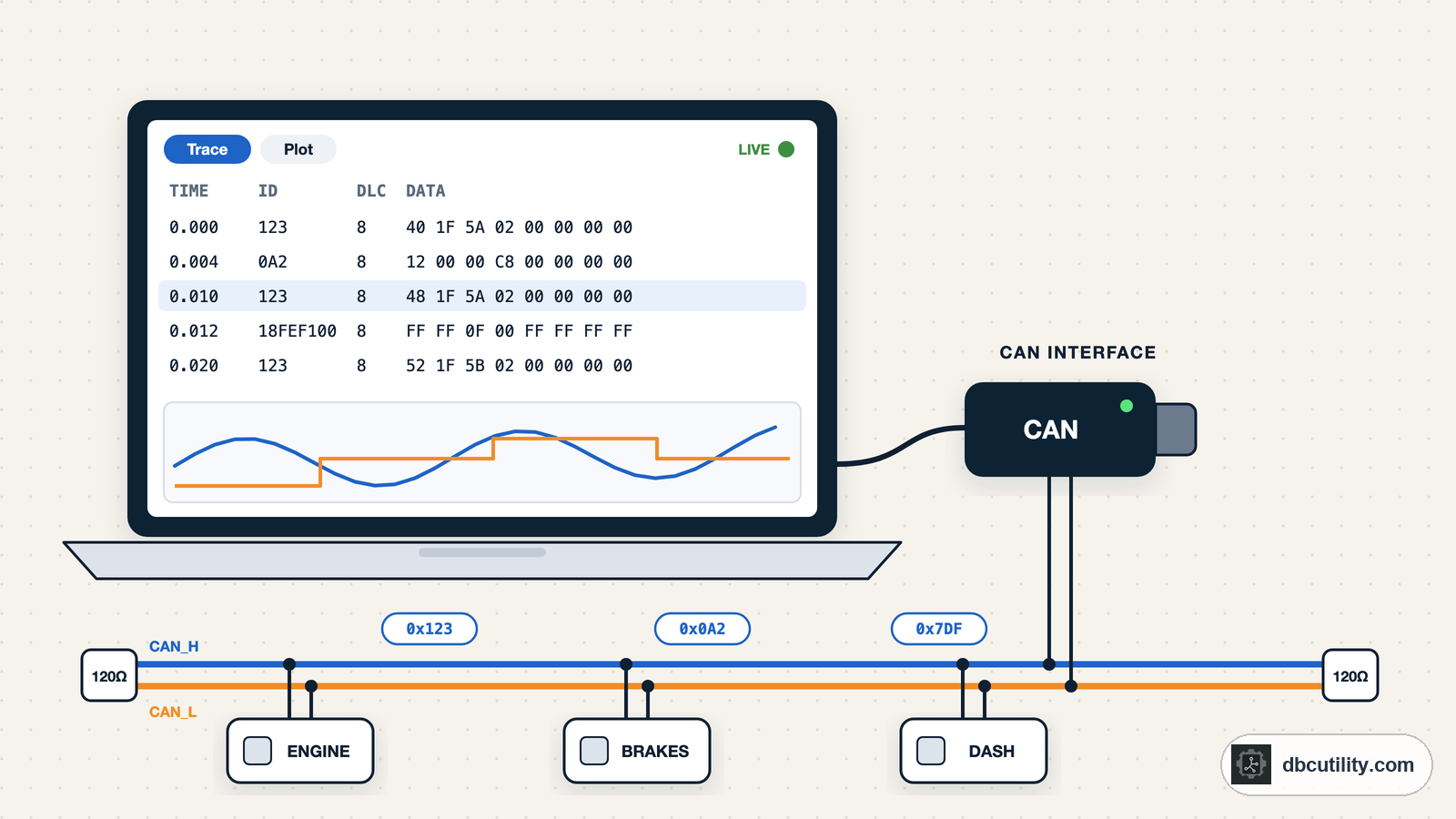
CAN bus analyzer software lets you watch traffic on a live bus, record it, decode it with a DBC file, and send your own frames. Before you compare features, check one thing: which CAN interface you have. Most analyzer software only works with its own vendor's hardware, so the interface on your desk usually narrows the choice to one or two tools.
Our picks, as of November 2026:
| If you have or need… | Use | Cost |
|---|---|---|
| A Vector interface, or a team that standardised on Vector | Vector CANalyzer (or CANoe) | Commercial, quoted by Vector |
| A Kvaser interface | Kvaser CanKing 7 | Free |
| A PEAK interface, basic monitoring | PCAN-View | Free |
| A PEAK interface, DBC decoding and scripting | PCAN-Explorer 7 | Commercial, 30-day trial |
| An Intrepid neoVI or ValueCAN | Vehicle Spy 3 | Commercial |
| A TOSUN interface | TSMaster | Free download, paid licences for some features |
| Linux and SocketCAN | can-utils and SavvyCAN | Free, open source |
| Only a recording, no live bus | A log tool instead (see below) |
We make DBC Utility, which is not a live bus analyzer. It appears in this guide only where recordings come in.
What to look for
- Hardware support. Does it work with your interface, or with several vendors?
- DBC decoding. Can it show signal names and physical values, not just raw bytes? Can it load more than one DBC?
- CAN FD. Does it handle 64-byte frames and the faster data phase?
- Recording format. Can it save logs your colleagues can open, such as BLF, ASC, or MF4?
- Sending frames. Can you send single frames, periodic frames, and frames built from DBC signals?
- Operating system. Most commercial tools are Windows-only.
Vector CANalyzer and CANoe
CANalyzer is Vector's analysis tool, and CANoe is its larger tool for simulation and testing. They are the standard in many automotive companies. Read what CANalyzer is for an overview.
Why they're good: Deep decoding with DBC and other databases, logging to BLF and ASC, plots, diagnostics, and CAPL scripting. Recordings from them are what many suppliers expect to receive.
Watch out for: Commercial licences priced on request, Windows only, and they are built around Vector interfaces.
Pick it if: your company or customer works in the Vector ecosystem, or you need simulation and test automation.
Kvaser CanKing 7
CanKing 7 is Kvaser's free CAN and LIN analyzer for Windows and Linux.
Why it's good: Free to use on multiple PCs, with a live bus monitor, CAN FD, message filtering, logging to file, and DBC support, including building frames to send from DBC signals. Virtual channels let you try it without hardware.
Watch out for: It works with Kvaser interfaces.
Pick it if: you have a Kvaser interface. It is hard to beat for free.
PEAK PCAN-View and PCAN-Explorer 7
PEAK makes two tools for its PCAN interfaces.
PCAN-View is a free Windows monitor for viewing, sending, and recording CAN, CAN FD, and CAN XL traffic. It shows raw frames; it does not decode DBC signals.
PCAN-Explorer 7 is the commercial version for Windows: many simultaneous bus connections, CAN FD and CAN XL, plots, and scripting. DBC and ARXML files are supported through add-ins. PEAK offers a 30-day trial with all add-ins.
Pick PCAN-View if: you have a PEAK interface and only need to see raw traffic. Pick PCAN-Explorer 7 if: you need decoded signals and analysis on PEAK hardware.
Intrepid Vehicle Spy
Vehicle Spy 3 is Intrepid Control Systems' analysis software for its neoVI and ValueCAN interfaces. It supports DBC and LDF files, and the Enterprise edition covers CAN FD, LIN, and J1939. Licences are tied to Intrepid hardware. A newer product, Vehicle Spy X, is in early release.
Pick it if: your team uses Intrepid hardware.
TOSUN TSMaster
TSMaster is TOSUN's analysis software. It is a free download, with paid licences for some features; TOSUN offers a 30-day trial. It loads DBC and ARXML files, supports CAN FD, and records and replays BLF and ASC logs.
Watch out for: TOSUN does not clearly list which features need a paid licence, so check before you plan around it.
Pick it if: you use TOSUN interfaces.
SavvyCAN
SavvyCAN is free and open source (MIT licence) for Windows, macOS, and Linux. It works with many interfaces, including SocketCAN, PEAK, and Vector, and loads DBC files for decoding.
Why it's good: It is the best free tool for exploring a bus you do not understand yet, with views made for reverse engineering.
Pick it if: you want one free tool that works across interfaces and operating systems, or you are reverse engineering hardware you own.
BUSMASTER
BUSMASTER is an open-source (LGPLv3) Windows tool for monitoring, analysing, and simulating CAN, originally developed by Robert Bosch Engineering and Business Solutions, with ETAS. It loads DBC files and supports J1939.
Watch out for: Third-party sources disagree about its latest release, so check the project page for current activity before you build a workflow on it.
can-utils (Linux)
On Linux, candump, cansend, and the other can-utils commands work with any interface that has a SocketCAN driver. They are the fastest way to check that a bus is alive and to record a log. See our candump guide.
Watch out for: No DBC decoding built in. Pair them with cantools or a GUI tool.
When you only have a recording
Often the bus is in a lab or a vehicle somewhere else, and you get a log file. You do not need analyzer software for that. Our guide to tools for BLF, ASC, and MF4 files covers the options.
DBC Utility fits here. It opens ASC and BLF recordings, decodes them with your DBC, plots signals, checks message timing and lengths, and lists IDs the DBC does not cover. It runs on Windows and Linux for $34 once. It does not connect to a live bus.
Frequently asked questions
What is the best free CAN bus analyzer?
It depends on your interface. Kvaser CanKing 7 is free for Kvaser interfaces and decodes DBC files. PCAN-View is free for PEAK interfaces but shows raw frames only. On Linux, can-utils and SavvyCAN work with any SocketCAN interface.
Can I use CANalyzer without Vector hardware?
CANalyzer is built around Vector interfaces. If you have another vendor's interface, use that vendor's software or a multi-vendor tool such as SavvyCAN.
Do I need analyzer software to read a CAN log file?
No. To read an existing BLF, ASC, or MF4 file, use a log tool such as DBC Utility, asammdf, or python-can. Analyzer software is for live buses.
Sources
DBC Utility
One desktop app for DBC files and CAN recordings.
One-time $34 · Windows & Linux · Files stay on your computer