In short
For BLF and ASC files with a DBC, use DBC Utility ($34) or Vector CANalyzer. For MF4, use asammdf (free). For scripts and conversions between any of these formats, use python-can with cantools (free).
Best for: Engineers who receive CAN recordings and need to open, decode, plot, or convert them
A colleague sends you test_drive_042.blf and a DBC file and asks why the motor speed drops at 14:32. You do not have the tool that recorded it. What can open it?
The answer depends on the file extension:
| Format | What it is | Free tools | Paid tools |
|---|---|---|---|
.blf | Vector binary log | python-can | DBC Utility, Vector CANalyzer/CANoe |
.asc | Vector text log | python-can, any text editor | DBC Utility, Vector CANalyzer/CANoe, PCAN-Explorer 7 |
.mf4 | ASAM MDF 4 measurement file | asammdf, python-can (with asammdf) | PCAN-Explorer 7 |
.trc | PEAK trace | python-can, PEAK-Converter | PCAN-Explorer 7 |
.log | Linux candump log | python-can, cantools, can-utils | Convert first for GUI tools |
If you are not sure what each format is for, read our comparison of CAN log formats.
We make DBC Utility. We have tried to say plainly where other tools fit better.
DBC Utility: BLF and ASC with a DBC, no code
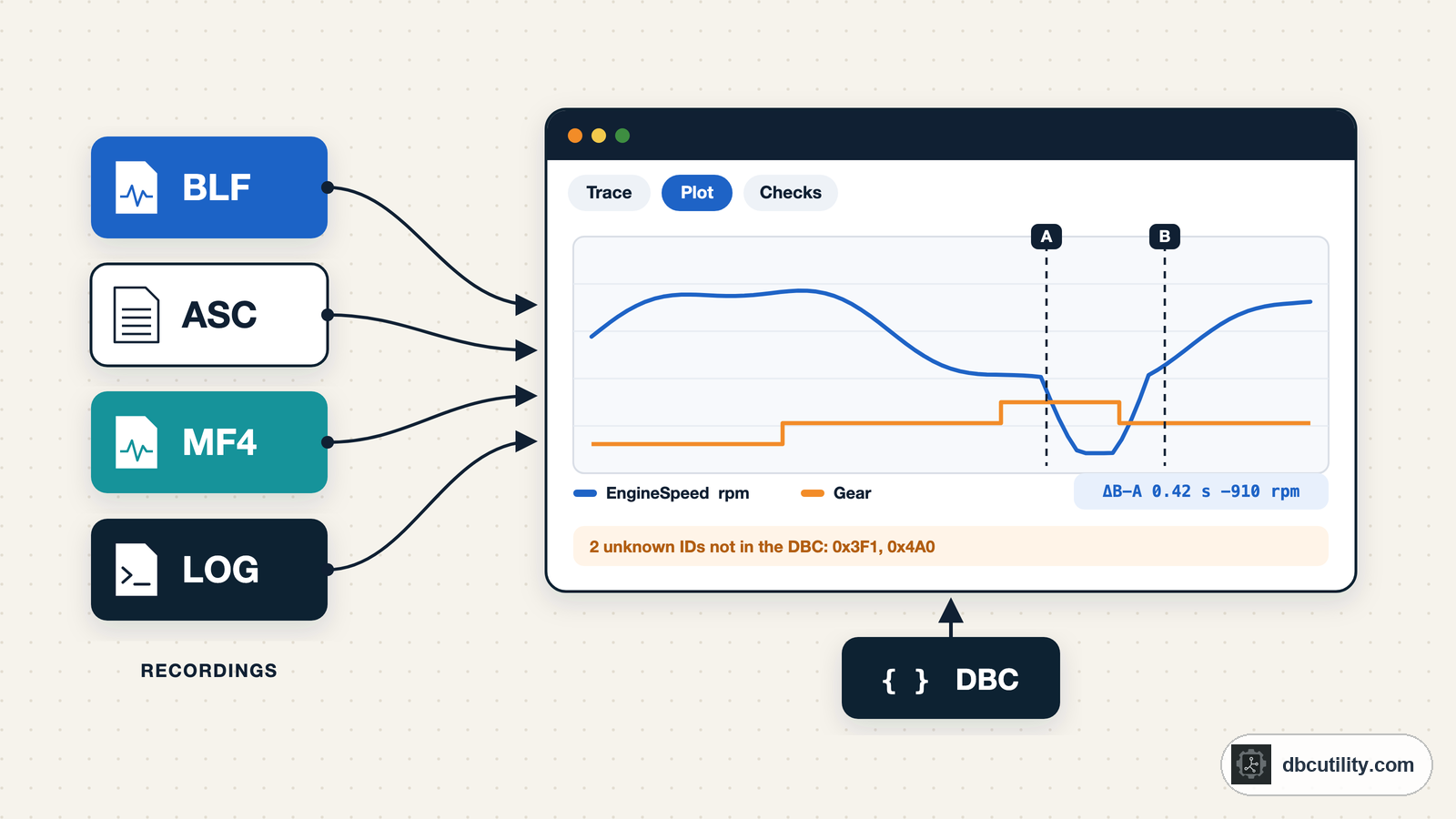
DBC Utility's log analyser opens ASC and BLF recordings on Windows and Linux. You map your DBC to each recorded channel, and then you can:
- step through every frame, or see the latest frame for each message ID
- plot decoded signals and measure time and value differences with A/B cursors
- run checks for cycle time, message length, and values outside the range the DBC defines
- see which IDs the DBC does not describe, and try a decode on them
For the motor speed question, you would plot the speed signal, put a cursor on 14:32, and look at what else changed at the same moment.
Watch out for: It does not open MF4, TRC, or candump files directly, and it does not export decoded signals. It costs $34 once.
Pick it if: you get BLF or ASC files with a DBC and want answers without writing code.
Vector CANalyzer and CANoe
BLF and ASC are Vector's formats, so Vector's tools open them natively, replay them offline, and convert between logging formats.
Pick them if: you already have a licence. Buying one only to read log files is expensive.
asammdf: MF4 files
asammdf is a free, open-source Python library with a GUI for Windows and Linux. It opens MF4 files and decodes CAN and LIN bus logging with DBC files (or ARXML and LDF), then plots and exports the signals.
Install it with:
python -m pip install "asammdf[gui]"Pick it if: your file is MF4. Many modern data loggers record MF4.
python-can and cantools: any format, from code
python-can reads ASC, BLF, candump logs, TRC, CSV, and MF4 (MF4 needs asammdf installed). cantools decodes each frame with your DBC. Both are free and open source. Our python-can and cantools guide has a complete decode script with CSV export.
python-can also converts between formats in one command. The output format follows the file extension:
python -m pip install python-can
python -m can.logconvert test_drive_042.blf test_drive_042.asc
python -m can.logconvert capture.log capture.blf
Pick it if: you need decoded CSV, a check in CI, or the same analysis on many files.
PEAK tools: TRC files
PEAK's .trc files come from PCAN-View and PCAN-Explorer.
- PEAK-Converter is a free Windows tool that converts trace files, including between TRC and ASC.
- PCAN-Explorer 7 (commercial, Windows) includes a free Trace Converter add-in for formats such as ASC and MF4.
Pick them if: you work with PEAK hardware and its TRC files.
TOSUN TSMaster
TSMaster records and replays BLF and ASC files and decodes them with DBC or ARXML. It is a free download with paid licences for some features, so check which features you need.
A text editor (ASC only)
ASC is plain text, so you can open it in any editor and search for an ID. You will see raw bytes, not signals, but for "did frame 0x321 arrive at all?" that is enough.
Frequently asked questions
How do I open a BLF file without CANalyzer?
Use DBC Utility's log analyser to view and decode it with a DBC, or python-can to read it from a script. To get a text version, convert it with python -m can.logconvert file.blf file.asc.
How do I convert BLF to ASC?
Install python-can and run python -m can.logconvert input.blf output.asc. Vector CANalyzer and CANoe can also convert between logging formats.
What opens MF4 files for free?
asammdf. Its GUI opens MF4 files on Windows and Linux and decodes CAN signals with a DBC.
Sources
DBC Utility
One desktop app for DBC files and CAN recordings.
One-time $34 · Windows & Linux · Files stay on your computer