In short
For a free Windows editor, use Vector CANdb++ Editor. On Linux, try Kvaser DBC Editor 7. For quick edits in a browser, use the CSS Electronics editor. If you review supplier changes, work with multiplexed messages, or also need to decode ASC and BLF logs, DBC Utility does that in one app for $34.
Best for: Engineers who need to open, edit, or review CAN DBC files and want to know which tool to use
You have a DBC file and you need to change a signal, check a supplier's update, or build a database from scratch. Most engineers try a text editor first, get lost in SG_ lines, and go looking for a proper tool.
Here is what we would pick for each job, as of November 2026:
| If you need to… | Use | Cost |
|---|---|---|
| Edit DBC files on Windows for free | Vector CANdb++ Editor | Free |
| Edit DBC files on Linux | Kvaser DBC Editor 7 or DBC Utility | Free / $34 |
| Make a quick edit without installing anything | CSS Electronics online DBC editor | Free |
| Review changes, multiplexed messages, and ASC/BLF logs in one app | DBC Utility | $34 once |
| Build a DBC while reverse engineering a live bus | SavvyCAN | Free, open source |
| Edit or convert DBC files from a script | cantools, canmatrix | Free, open source |
We make DBC Utility, so read our section with that in mind. We have tried to say plainly where other tools are the better choice.
How we compared them
A DBC editor has to get the basics right: open any real-world file, show messages and signals clearly, and save without breaking anything. We also looked at the things that cause most DBC bugs:
- Can you see where each signal sits in the message, not just its start bit?
- Does it handle multiplexed messages and CAN FD messages up to 64 bytes?
- Can you compare two versions of a file?
- Does saving keep comments, attributes, encoding, and line endings intact?
- Which operating systems does it run on, and what does it cost?
New to the format? Read what a DBC file is first.
Vector CANdb++ Editor
Vector created the DBC format, and CANdb++ Editor is its own editor for it. Vector now offers it as freeware from the Vector Download Center, and it still ships inside tools such as CANoe.
Why it's good: It is the reference tool for the format. If your OEM or supplier uses Vector tools, files saved in CANdb++ are the files they expect.
Watch out for: It runs on Windows only. It edits the database; it does not decode logs, so you need another tool for recordings.
Pick it if: you work on Windows and want a free editor that matches what most automotive suppliers use.
Kvaser DBC Editor 7
Kvaser, a CAN interface maker, publishes DBC Editor 7 on its download page, with builds for Windows and Linux. It is newer than Kvaser's older Database Editor 3.
Why it's good: It is one of the few free graphical DBC editors with a native Linux build.
Watch out for: Version 7.0.0 is new, so test it on your most complex files before you rely on it.
Pick it if: you need a free DBC editor on Linux, or your lab already uses Kvaser hardware and software.
CSS Electronics online DBC editor
CSS Electronics, which makes CAN data loggers, offers a free DBC editor that runs in the browser.
Why it's good: Nothing to install. It works on any computer, including a Mac.
Watch out for: You open your file in a website. Check whether your company allows supplier DBC files to be used that way, since many are confidential.
Pick it if: you need a quick change to a non-confidential file on a computer where you cannot install software.
DBC Utility
DBC Utility is our desktop app for Windows and Linux. It is built around the parts of DBC work that go wrong most often.
Why it's good:
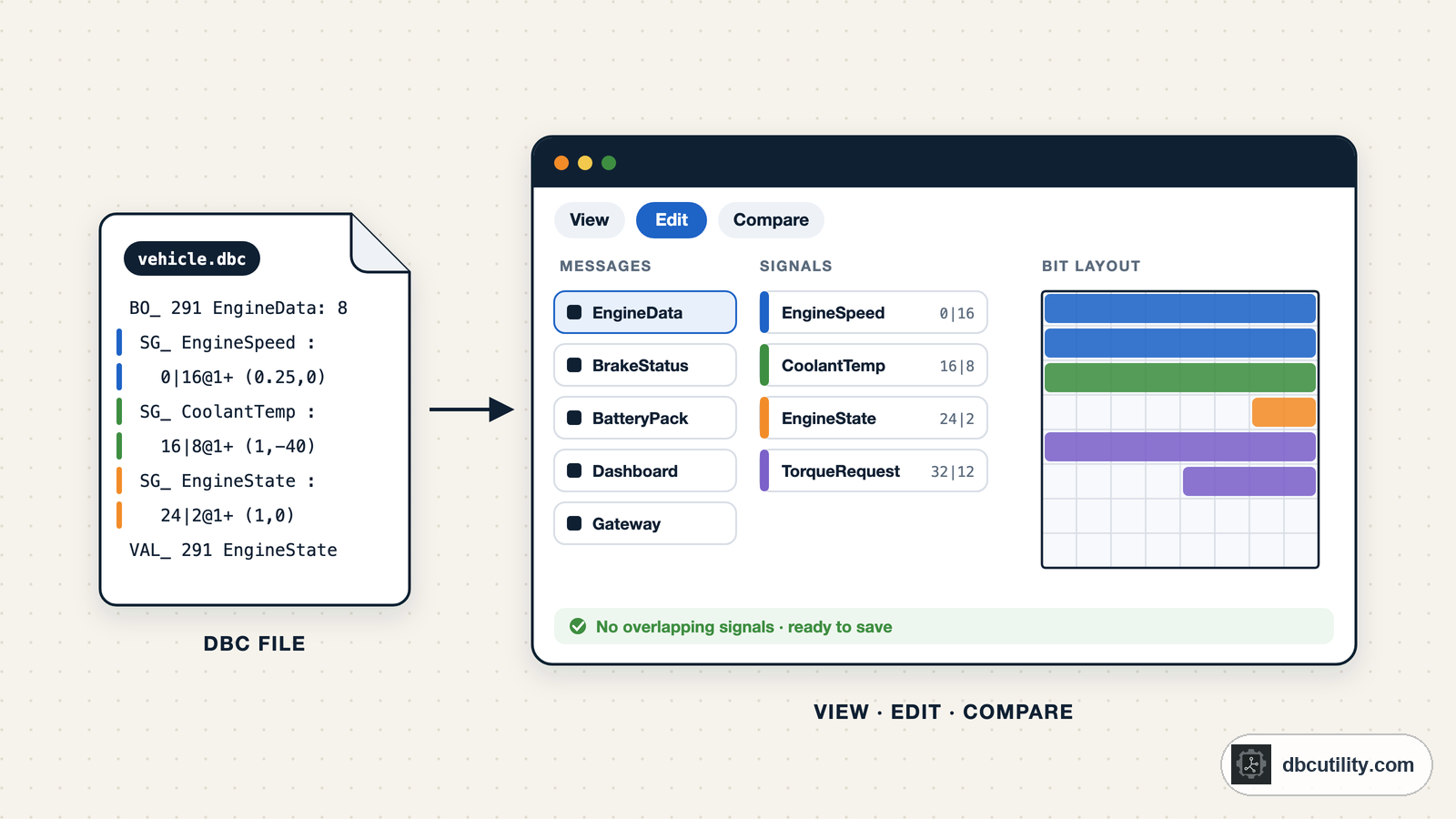
- Every signal is drawn on a grid of the message bytes, for classical CAN and CAN FD, with multiplexer branches filtered one at a time.
- You can compare two DBC files as text or as a list of changed messages and signal properties.
- A Problems list shows overlapping signals and other errors before you save, and files keep their original encoding and line endings.
- It also opens ASC and BLF recordings and decodes them with your DBC in the log analyser, and translates German DBC comments into English.
Watch out for: It costs $34 once, with no free trial. It does not connect to CAN hardware.
Pick it if: you regularly review DBC changes from suppliers, work with multiplexed or CAN FD messages, or want the DBC and your recordings in one tool.
SavvyCAN
SavvyCAN is a free, open-source CAN tool (MIT licence) for Windows, macOS, and Linux. It captures traffic from many interfaces, including SocketCAN, PEAK, and Vector, and decodes it with DBC files you load in its DBC File Manager.
Why it's good: It is built for reverse engineering. You can watch which bytes change on a live bus and turn what you learn into signals.
Watch out for: Its focus is capture and analysis. For maintaining a large DBC over many releases, a dedicated editor is easier.
Pick it if: you are exploring an unknown CAN bus on hardware you own and want to build the DBC as you go.
cantools and canmatrix (Python)
cantools and canmatrix are open-source Python libraries. cantools reads DBC files and decodes frames. canmatrix converts between formats such as DBC, ARXML, and Excel, and compares databases from the command line.
Why they're good: Anything you can script, you can repeat: checks in CI, conversions, generating code from the DBC.
Watch out for: There is no visual layout, so it is easy to miss an overlapping signal.
Pick them if: you need repeatable automation. Many teams use a library in CI and a graphical editor for review. See what canmatrix does.
What about a plain text editor?
A DBC file is text, so any editor opens it. For a one-line change you review carefully, that is fine. For anything bigger, a wrong start bit or an overlapping signal is easy to miss in text and obvious on a bit layout.
Frequently asked questions
What is the best free DBC editor?
On Windows, Vector CANdb++ Editor, which Vector now offers as freeware. On Linux, Kvaser DBC Editor 7. If you cannot install software, the CSS Electronics online editor runs in a browser.
Is there a DBC editor for Linux?
Yes. Kvaser DBC Editor 7 and DBC Utility both have Linux builds, and SavvyCAN, cantools, and canmatrix also run on Linux. Vector CANdb++ Editor runs on Windows only.
Is CANdb++ free?
Yes. Vector announced that CANdb++ Editor can be downloaded and used as freeware from the Vector Download Center. It is also included in tools such as CANoe.
Sources
DBC Utility
One desktop app for DBC files and CAN recordings.
One-time $34 · Windows & Linux · Files stay on your computer