Canmatrix in simple words
Canmatrix is a Python library for working with CAN database files in code.
It also provides command-line tools for common jobs such as converting and comparing databases.
Canmatrix represents objects such as:
- ECUs
- frames
- signals
- value tables
- attributes
- multiplexed definitions
It is useful when the same database task must run many times or become part of a build, test, or conversion process.
Install canmatrix
python -m pip install canmatrixCheck that the command-line tools are available:
canconvert --help
cancompare --help
Convert a DBC file
Canmatrix can read and write several database formats. A simple conversion uses the input and output file extensions:
canconvert vehicle.dbc vehicle.xlsxConvert an AUTOSAR system description to DBC:
canconvert vehicle.arxml vehicle.dbcConvert a DBC back to DBC after applying options or normalizing the output:
canconvert source.dbc cleaned.dbcAlways review the result. Different file formats do not support exactly the same information, so a conversion may not be lossless.
Compare two CAN databases
cancompare old.dbc new.dbcThis is useful in a script or review pipeline when you want a repeatable comparison instead of manually opening both files.
Use canmatrix from Python
The package API can load databases and expose their frames and signals. A small inspection script looks like this:
import canmatrix.formats

databases = canmatrix.formats.loadp("vehicle.dbc")

for bus_name, matrix in databases.items():
    print(f"Bus: {bus_name or 'default'}")
    for frame in matrix.frames:
        print(f"0x{frame.arbitration_id.id:X} {frame.name}")
        for signal in frame.signals:
            print(f"  - {signal.name} ({signal.size} bits)")
The exact objects you use depend on the file type and the canmatrix version. Keep the package version pinned in automation and test the output with representative files.
Useful canmatrix jobs
Extract one ECU
canconvert --ecus=ENGINE_ECU vehicle.dbc engine-only.dbcExtract selected frames
canconvert --frames=EngineData,VehicleSpeed vehicle.dbc selected.dbcRename a signal
canconvert --renameSignal=OldName:NewName source.dbc updated.dbcMerge another database
canconvert --merge=second.dbc source.dbc merged.dbcBefore using these commands on an important database, work on a copy and compare the output.
Canmatrix vs cantools
Both are Python projects used around CAN databases, but their common use cases differ.
| Need | Common first choice |
|---|---|
| Decode and encode CAN payloads in Python | cantools |
| Convert between several database formats | canmatrix |
| Compare or reshape database files | canmatrix |
| Build a simple runtime DBC decoder | cantools |
This is not a strict rule. Check the current APIs and supported formats for your project.
Canmatrix vs a DBC viewer
| Canmatrix | Visual DBC viewer |
|---|---|
| Python and command-line workflow | Graphical workflow |
| Good for automation | Good for human inspection |
| Easy to repeat in CI | Easy to explore unfamiliar files |
| Can convert and batch-change files | Can show message trees and bit layouts |
| Output should be validated | Changes can be reviewed visually |
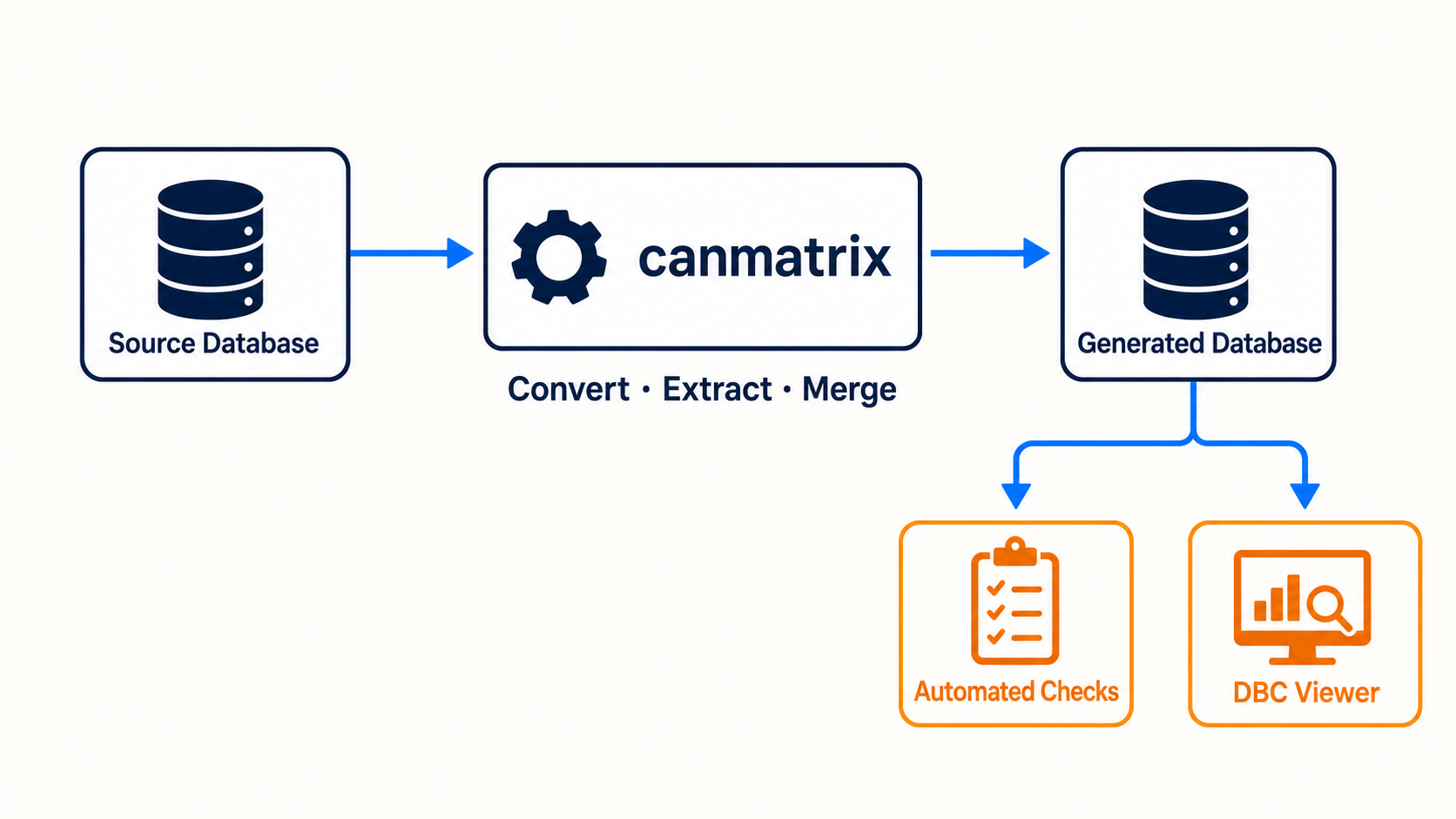
The tools can work together. Use canmatrix to automate a conversion, then open the generated DBC in a viewer to check message counts, signal definitions, multiplexing, units, and layouts.
A safe automation pattern
source database
      |
      v
canmatrix conversion
      |
      v
generated DBC
      |
      +--> automated checks
      |
      +--> visual review in a DBC viewer
Do not assume that a successful command means the database is semantically correct. Validate important signals with known raw payloads.
The simple summary
Canmatrix is a Python library and command-line toolkit for CAN database automation. Use it when you need repeatable conversions, comparisons, extraction, merging, or code-based changes. Use a visual DBC viewer when a person needs to understand and review the result.