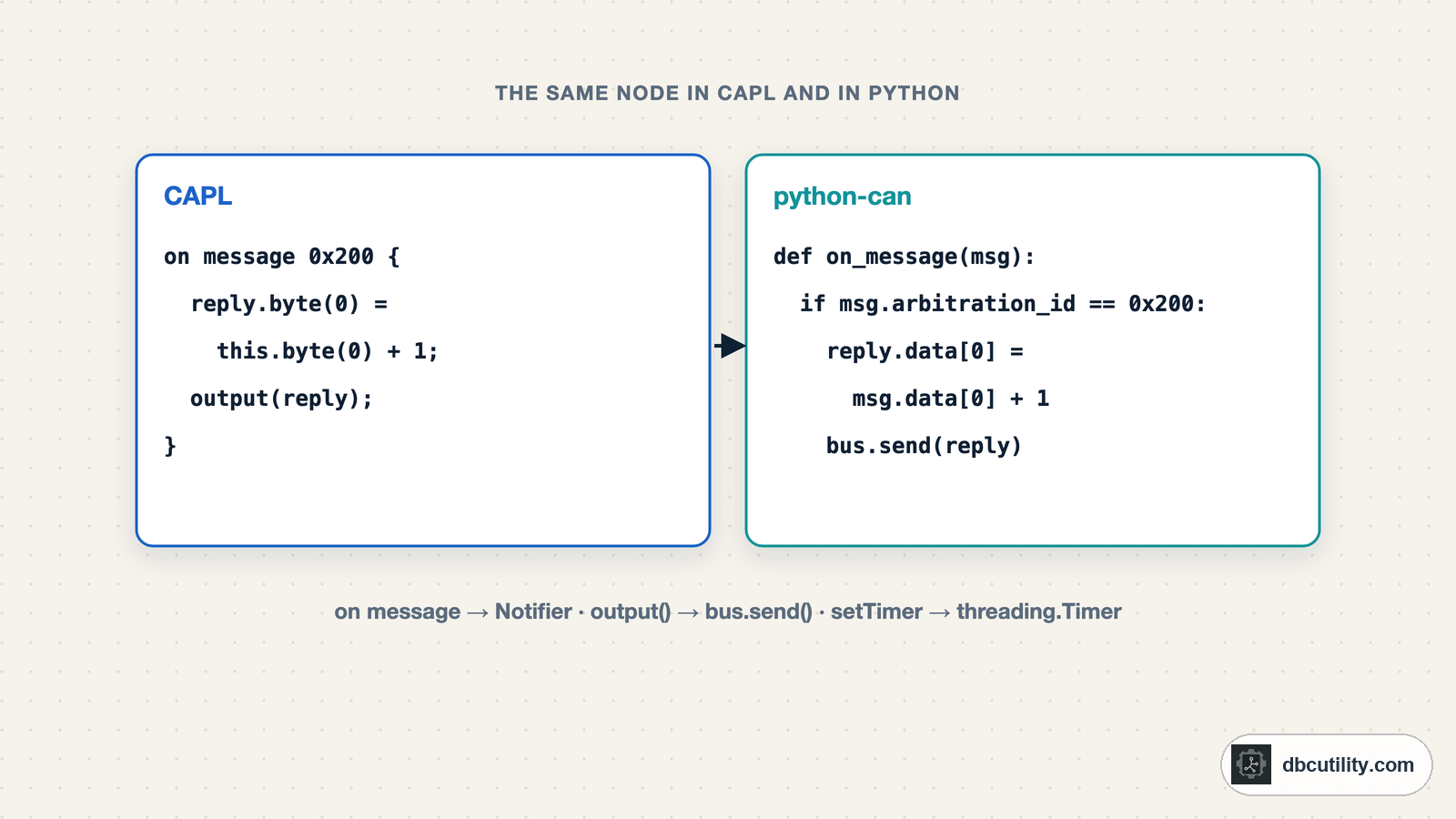
In short
CAPL is C-like but event-driven: you write handlers such as on message, on timer and on key, and the tool calls them. Each pattern maps to a python-can construct, a Notifier for handlers, a timer for cycles, send for output and cantools for DBC signals, so you can prototype without a CANoe licence.
Best for: Python and C engineers who have to read, write or replace CAPL scripts in a test or simulation setup
CAPL (Communication Access Programming Language) is the scripting language of Vector's CANoe and CANalyzer. If you work with test benches or simulations in the automotive industry, you will meet it: restbus nodes, gateway logic and test cases are often written in CAPL. It looks like C, which helps, but it does not run like C. There is no main(). You write event handlers, and the tool calls them when a frame arrives, a timer expires or a key is pressed.
This guide shows the patterns you need to read and write CAPL, each next to an equivalent in Python with python-can and cantools, which run without a licence and are tested here on a virtual bus. What is CANalyzer explains where CAPL fits in Vector's tools.
A complete CAPL node
variables {
  message 0x123 counterMsg;
  msTimer cycle;
  int counter = 0;
}

on start {
  setTimer(cycle, 100);
}

on timer cycle {
  counterMsg.dlc = 8;
  counterMsg.byte(0) = counter;
  output(counterMsg);
  counter++;
  setTimer(cycle, 100);
}

on message 0x200 {
  message 0x201 reply;
  write("0x200 received, byte 0 = %d", this.byte(0));
  reply.dlc = 1;
  reply.byte(0) = this.byte(0) + 1;
  output(reply);
}
What each part does:
| CAPL | Meaning |
|---|---|
variables { ... } | Global variables of the node, including message objects and timers |
message 0x123 counterMsg; | A frame object with ID 0x123 |
msTimer cycle; | A timer with millisecond resolution |
on start { } | Runs once when the measurement starts |
setTimer(cycle, 100); | Starts the timer; it fires once, after 100 ms |
on timer cycle { } | Runs when the timer expires; restart it here for a cyclic task |
output(msg); | Sends the frame on the bus |
on message 0x200 { } | Runs for every received frame with ID 0x200 |
this | The frame that triggered the handler |
write(...) | Prints to the Write window, with printf-style formatting |
Two details trip up C programmers. Timers fire once, so a cyclic message needs setTimer again inside its own handler, and cancelTimer stops it. And handlers run one at a time, so a long loop inside a handler blocks every other event.
The same node in Python
python-can provides the pieces: a Notifier calls your function for every received frame, and a timer thread replaces msTimer.
import threading

import can


class Node:
    """The CAPL node above in Python: a 100 ms cyclic message and a handler for 0x200."""

    def __init__(self, bus):
        self.bus = bus
        self.counter = 0
        self.cycle = None
        self.notifier = can.Notifier(bus, [self.on_message])  # 'on message' handlers
        self.on_timer()                                       # 'on start': first send, then every 100 ms

    def on_timer(self):
        msg = can.Message(arbitration_id=0x123, is_extended_id=False, data=[self.counter & 0xFF] + [0] * 7)
        self.bus.send(msg)                                    # output(msg)
        self.counter += 1
        self.cycle = threading.Timer(0.1, self.on_timer)      # setTimer(cycle, 100)
        self.cycle.start()

    def on_message(self, msg):
        if msg.arbitration_id == 0x200:                       # on message 0x200
            print(f"0x200 received, byte 0 = {msg.data[0]}")  # write(...)
            reply = can.Message(arbitration_id=0x201, is_extended_id=False, data=[(msg.data[0] + 1) & 0xFF])
            self.bus.send(reply)

    def stop(self):
        self.cycle.cancel()                                   # cancelTimer(cycle)
        self.notifier.stop()
Tested on python-can's virtual bus: after 350 ms the node had sent 0x123 with counter values 0 to 3, and when a tester sent 0x200 with byte 0 = 41, it printed 0x200 received, byte 0 = 41 and answered 0x201 with 42. For a fixed cyclic message without a changing counter, python-can's bus.send_periodic(msg, 0.1) is simpler and lets the driver handle the timing.
DBC signals instead of bytes
With a database attached, CAPL lets you use message and signal names from the DBC:
on start {
  message EngineData msg;
  msg.EngineSpeed = 1500;
  msg.CoolantTemp = 90;
  output(msg);
}

on message EngineData {
  write("engine speed %f rpm", this.EngineSpeed);
}
CAPL applies the scaling for you: 1500 rpm becomes the raw value the DBC's factor and offset require. In Python, cantools does the same:
import cantools

db = cantools.database.load_string("""
VERSION ""
BU_: ECU
BO_ 768 EngineData: 8 ECU
 SG_ EngineSpeed : 0|16@1+ (0.25,0) [0|16383.75] "rpm" Vector__XXX
 SG_ CoolantTemp : 16|8@1+ (1,-40) [-40|215] "degC" Vector__XXX
""", database_format="dbc")

engine = db.get_message_by_name("EngineData")
data = engine.encode({"EngineSpeed": 1500, "CoolantTemp": 90})      # msg.EngineSpeed = 1500; ...
print(hex(engine.frame_id), data.hex(" "))
print(engine.decode(data))                                          # this.EngineSpeed in a handler
Output:
0x300 70 17 82 00 00 00 00 00
{'EngineSpeed': 1500.0, 'CoolantTemp': 90}
1500 rpm at 0.25 rpm per bit is 6000, 70 17 with the low byte first, and 90 °C with an offset of −40 is 130, 0x82. If a CAPL script and your Python code disagree about a value, compare the raw bytes first; the cause is almost always a DBC difference, which a DBC compare shows quickly.
Test cases
CANoe's test feature set adds test modules, where CAPL test cases wait for events and report verdicts:
testcase TC_ReplyTo0x200() {
  message 0x200 request;
  request.dlc = 1;
  request.byte(0) = 41;
  output(request);
  if (testWaitForMessage(0x201, 500) == 1) {
    testStepPass("reply", "0x201 received within 500 ms");
  } else {
    testStepFail("reply", "no 0x201 within 500 ms");
  }
}
In Python, the same test is an ordinary unit test with a receive timeout:
def test_reply_to_0x200(bus):
bus.send(can.Message(arbitration_id=0x200, is_extended_id=False, data=[41]))
reply = bus.recv(timeout=0.5)
while reply is not None and reply.arbitration_id != 0x201:
    reply = bus.recv(timeout=0.5)
assert reply is not None, "no 0x201 within 500 ms"
assert reply.data[0] == 42
The automated signal checks guide builds a larger pytest suite on recorded logs.
Translating CAPL to Python
| CAPL | python-can / cantools |
|---|---|
on message 0x123 { } | A function registered with can.Notifier, filtering on msg.arbitration_id |
on message * | The same function without an ID check |
this.byte(0) | msg.data[0] |
output(msg) | bus.send(msg) |
msTimer + setTimer + on timer | threading.Timer, or bus.send_periodic for fixed cyclic frames |
cancelTimer(t) | timer.cancel(), or task.stop() for periodic sends |
write("...") | print(...) or logging |
msg.SignalName = value | db.get_message_by_name(...).encode({...}) |
testWaitForMessage(id, ms) | bus.recv(timeout=...) in a loop |
Python is not a drop-in replacement for CANoe: it has no real-time guarantees on a normal operating system, and CANoe's analysis windows, panels and certified test reports have no direct equivalent. For prototyping, CI tests on recorded data and benches built on Linux, it covers the same patterns.
Frequently asked questions
What is CAPL?
The Communication Access Programming Language used in Vector CANoe and CANalyzer. It is a C-like, event-driven language: you write handlers for events such as received messages, timers and key presses, and the tool calls them.
How do I send a cyclic CAN message in CAPL?
Declare an msTimer, start it with setTimer in on start, send the message with output() in the timer's handler, and call setTimer again inside that handler so it repeats.
What does "this" mean in CAPL?
Inside an event handler, this is the object that triggered it. In an on message handler it is the received frame, so this.byte(0) is its first data byte and this.SignalName is a decoded DBC signal.
Can I run CAPL scripts without CANoe?
No. CAPL runs inside Vector's tools. To work without them, translate the handlers to Python with python-can and cantools, as shown above, or to another CAN framework.
References
DBC Utility
One desktop app for DBC files and CAN recordings.
One-time $34 · Windows & Linux · Files stay on your computer