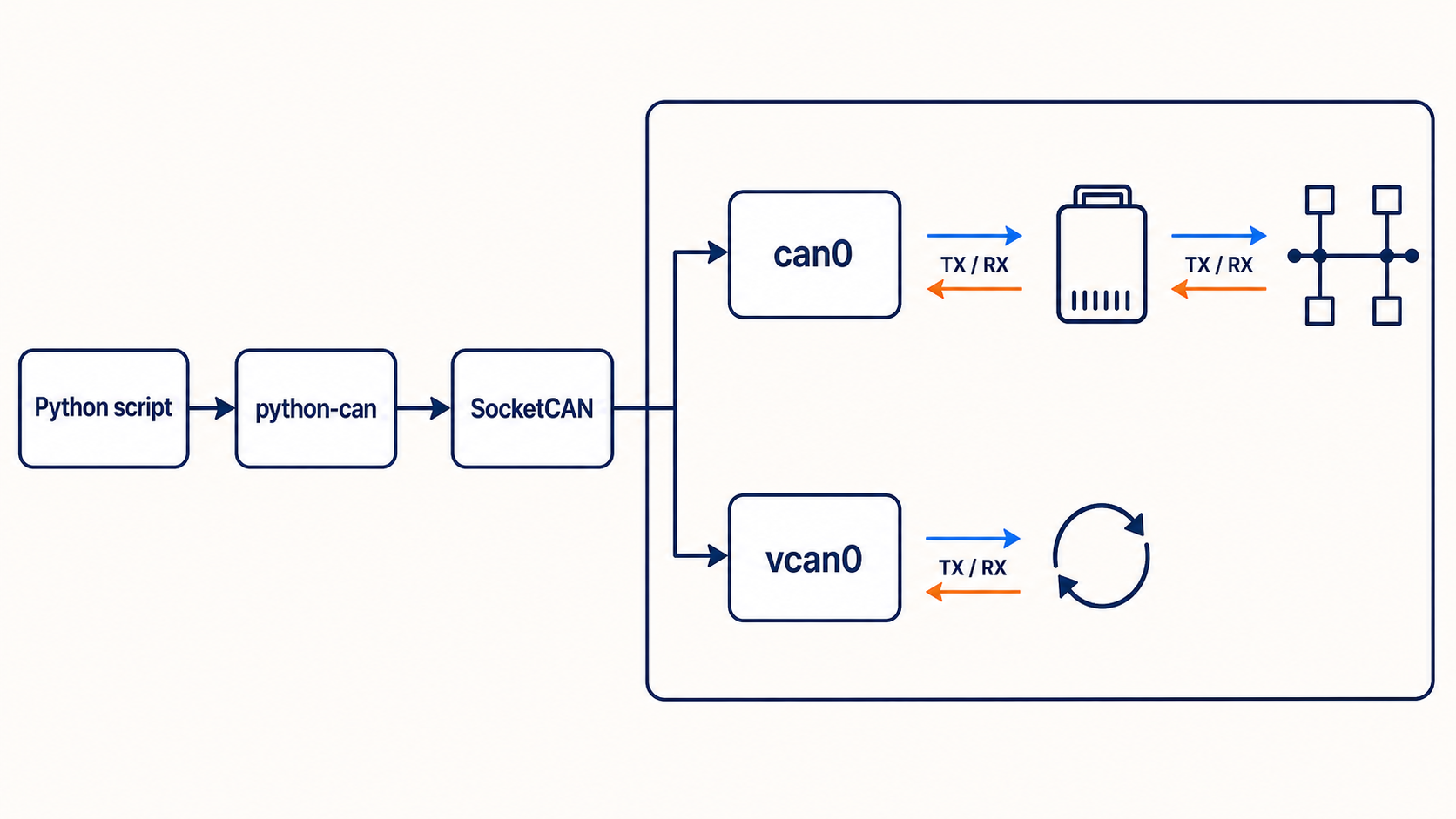
What this example does
This guide uses the python-can package to:
- open a SocketCAN interface
- send one standard CAN frame
- wait for a response
- filter received frames
- run without hardware on
vcan0
The code works on Linux with SocketCAN. Python-can also supports other interfaces, but their channel settings and drivers differ.
Install python-can
python -m pip install python-canFor a physical interface at 500 kbit/s:
sudo ip link set can0 down
sudo ip link set can0 type can bitrate 500000
sudo ip link set can0 up
Create a virtual CAN bus for testing
Use vcan0 when you want to test code without sending anything to a real network.
sudo modprobe vcan
sudo ip link add dev vcan0 type vcan
sudo ip link set vcan0 up
Open a monitor in another terminal:
candump vcan0Small send example
import can

message = can.Message(
    arbitration_id=0x123,
    data=[0x40, 0x1F, 0x00, 0x00, 0x01, 0x00, 0x00, 0x00],
    is_extended_id=False,
)

with can.Bus(interface="socketcan", channel="vcan0") as bus:
    try:
        bus.send(message, timeout=1.0)
        print(f"Sent {message}")
    except can.CanError as error:
        print(f"Send failed: {error}")
For a physical bus, replace vcan0 with can0 after the interface is configured.
Small receive example
import can

with can.Bus(interface="socketcan", channel="vcan0") as bus:
    message = bus.recv(timeout=5.0)

    if message is None:
        print("No CAN frame received in 5 seconds")
    else:
        print(f"ID: 0x{message.arbitration_id:X}")
        print(f"Data: {message.data.hex(' ')}")
        print(f"Time: {message.timestamp:.6f}")
Always use a timeout unless the application is designed to block forever.
Complete send and receive program
This example sends a request on ID 0x700 and waits for a response on ID 0x708.
import can

REQUEST_ID = 0x700
RESPONSE_ID = 0x708

filters = [
    {"can_id": RESPONSE_ID, "can_mask": 0x7FF, "extended": False},
]

request = can.Message(
    arbitration_id=REQUEST_ID,
    data=[0x01, 0x02, 0x03, 0x04],
    is_extended_id=False,
)

with can.Bus(
    interface="socketcan",
    channel="can0",
    can_filters=filters,
) as bus:
    try:
        bus.send(request, timeout=1.0)
    except can.CanError as error:
        raise SystemExit(f"Could not send request: {error}")

    response = bus.recv(timeout=2.0)
    if response is None:
        raise SystemExit("Response timeout")

    print(f"RX 0x{response.arbitration_id:X}: {response.data.hex(' ')}")
The IDs and payload are examples. Replace them with values from your network specification.
Test two Python programs on vcan0
Run the receive script first. Then run the send script. You should see the same frame in the receiver and in candump.
If nothing appears:
ip -details link show vcan0Confirm that the interface exists and is up.
Send an extended 29-bit frame
Set is_extended_id=True and use an ID no larger than 0x1FFFFFFF.
message = can.Message(
    arbitration_id=0x18FEEE01,
    data=[0xFF, 0xFF, 0x40, 0x1F, 0xFF, 0xFF, 0xFF, 0xFF],
    is_extended_id=True,
)
J1939 uses extended identifiers, but a J1939 application also needs higher-level rules for PGNs, addresses, requests, and multi-packet messages.
Send a message periodically
import time
import can

message = can.Message(
    arbitration_id=0x123,
    data=[0x00] * 8,
    is_extended_id=False,
)

with can.Bus(interface="socketcan", channel="vcan0") as bus:
    task = bus.send_periodic(message, period=0.100)
    try:
        time.sleep(5)
    finally:
        task.stop()
This sends the frame every 100 milliseconds for five seconds.
Decode with a DBC file
Python-can moves frames. Cantools can decode their payloads.
python -m pip install cantoolsimport cantools
database = cantools.database.load_file("vehicle.dbc")
values = database.decode_message(message.arbitration_id, message.data)
print(values)Use the DBC version that matches the ECU software and vehicle variant.
Common Python CAN mistakes
- Opening
can0before the Linux interface is up - Using the wrong bitrate on a physical bus
- Setting the wrong
is_extended_idvalue - Waiting forever without a receive timeout
- Forgetting to close the bus
- Sending to a live network before validating IDs and payloads
- Catching every exception and hiding useful errors
The simple summary
With python-can, create a bus, build a Message, call send(), and use recv() with a timeout. Start on vcan0, add filters, and move to physical hardware only after the software path works.